
Freelance contract checklist: what to include before you start
Scope, payment terms, revisions, ownership of the work and how to end the contract: a practical checklist for freelance contracts, with a free template and e-signature.

MD Rakib Shekh · Founder & Lead Architect
· 7 min read
On this page
A client asks for "just one more round" of changes. Another pays two months late. A third wants the source files you never planned to hand over. None of these has to turn into an argument if the answer is already written down and signed.
This checklist covers what a freelance contract should include, in the order most contracts use. Use it to write your own contract, to check one a client sends you, or to fill in a template.
This is general information, not legal advice. Laws differ by country and state, so have a lawyer review your standard contract at least once.
The quick checklist
- Who the parties are, with legal names and contact people
- What you'll deliver, and what's not included
- The timeline, and what you need from the client
- Fees, deposit, payment terms and late fees
- How many revisions, and how work is accepted
- How changes to the scope are agreed
- Who owns the work, and when ownership passes
- Confidentiality
- Your status as an independent contractor
- Limits on liability
- How either side can end the contract
- Which law applies and how disputes are handled
- Signatures from both sides
Parties and contact people
Use full legal names and addresses for both sides. If the client is a company, use its registered name, not a brand name. Name one contact person on each side who can approve work and changes, so feedback doesn't arrive from five directions.
Scope and deliverables
This clause heads off more arguments than any other, so be specific. List what you'll deliver, in what format and how many: "a logo in SVG, PNG and PDF, plus a one-page style guide" beats "branding". Then say what's out of scope, such as copywriting, printing or ongoing support. Anything not listed should need a change request.
Timeline and client responsibilities
Give target dates for each milestone and tie them to what the client must provide. A useful clause says the client sends content and feedback within a set number of business days, and that delays on their side move the dates. Pagestro's service agreement template starts with five business days.
Fees, deposit and payment terms
Write down:
- The total fee, or your hourly or day rate
- A deposit before work starts, and whether it's refundable if the project is cancelled
- Milestone payments for longer projects
- When each invoice is due, such as 14 or 30 days after the invoice date
- How you accept payment, and in what currency
- Late fees or interest, if you charge them
- Who pays for extras such as stock photos, fonts or travel
Agreeing these terms up front makes invoicing much easier. Our guide to writing an invoice that gets paid on time picks up from here.
Revisions and acceptance
Set the number of revision rounds included and the rate for extra rounds. Then define when a deliverable counts as accepted: when the client approves it in writing, or when they don't respond within a set review period. Without an acceptance clause, a project can stay "almost done" for months.
Changes to the work
Clients change their minds, and that's normal. Say how changes are agreed: you reply with the effect on price and timeline, and the change goes ahead only once both sides approve it in writing. An email from each contact person can count.
Ownership of the work
Spell out who owns what, and when:
- Consider transferring ownership of the final deliverables only once you've been paid in full.
- Keep ownership of your own tools, templates, code libraries and earlier work, and give the client a licence to use them as part of the deliverables.
- Say whether unused concepts and drafts stay with you.
- Ask for the right to show the work in your portfolio, or agree when you can.
Copyright rules differ between countries, so this is a clause worth checking with a lawyer.
Confidentiality
Both sides agree to keep the other's non-public information private and use it only for the project. If a client will share sensitive plans before the contract is signed, a separate NDA can come first. See how to write a simple NDA.
Independent contractor status
State that you're an independent contractor, not an employee: you decide how and when you work, supply your own equipment and handle your own taxes. Make sure the way you actually work matches what the contract says.
Limits on liability
Consider capping what either side can claim, for example at the fees paid under the contract, and excluding indirect losses such as lost profits. Pagestro's service agreement template takes this approach, with exceptions for unpaid fees, confidentiality breaches, fraud and serious misconduct.
Ending the contract
Say how either side can end the contract early: with written notice (the template uses 14 days), or straight away for a serious breach that isn't fixed. Make sure the client still pays for work done and approved expenses up to the end date. You can also add a kill fee, a set share of the remaining fee, for projects cancelled midway.
Disputes and governing law
Name the law that applies and where disputes are heard. You can also ask both sides to try to settle a dispute by talking first, for a set period, before anyone goes to court.
Local rules that may apply
Some places have laws about freelance contracts. In New York State, for example, the Freelance Isn't Free Act took effect on August 28, 2024 and added contract requirements for freelance work. The state Department of Labor publishes a model contract you can use. Check what applies where you and your client are based.
Service agreement or statement of work?
A service agreement holds the main terms: payment, ownership, liability and how the contract ends. A statement of work (SOW) describes one project: deliverables, milestones and fees. For a client you'll work with again, sign one service agreement, then a short SOW for each new project.
How to put it together in Pagestro
Step 1. Open Contracts and pick the Service Agreement or the Statement of Work template. The Service Agreement is written in plain English, and you can edit every clause in both.
Step 2. Fill in the parties, the scope, fees and dates. Change the defaults, such as revision rounds and notice periods, to match how you work.
Step 3. Delete the template note at the top, then read the contract as your client would.
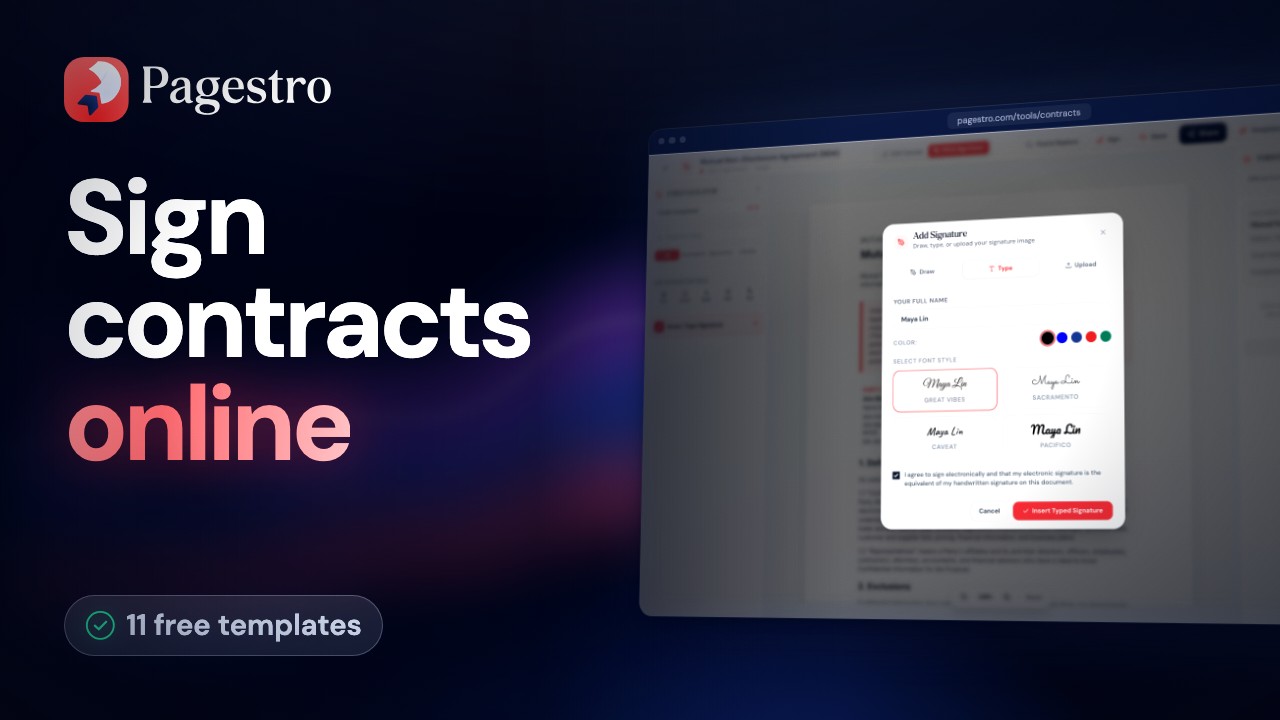
Step 4. Send it for signature from your free account. Your client signs from an email link without needing an account, and the signed PDF comes with an audit trail. If you'd rather sign a PDF you wrote elsewhere, use Sign PDF.
Step 5. When the first payment is due, bill it with the Invoice Generator.
The free plan includes the templates and a monthly allowance of signature requests. Paid plans add more requests, and Pro adds signing order and automatic reminders. See pricing.
Frequently asked questions
Do I need a contract for a small job?
A short one is still worth it. A one-page agreement that covers scope, price, the payment date and revisions heads off the most common misunderstandings.
Can I sign the client's contract instead of using mine?
Yes, but check it against this list first. Look out for ownership passing before you're paid, unlimited revisions, long payment terms and broad non-compete clauses.
Should I ask for a deposit?
A deposit means you're not carrying all the risk if a project stops early. Say in the contract how much it is and whether it's refundable.
Is a contract signed online valid?
Electronic signatures are recognised for most agreements in many countries, under laws such as the ESIGN Act, UETA and eIDAS. Pagestro includes an audit trail with every signature request.
Are Pagestro's contract templates legal advice?
No. They're starting points that you can edit. For high-value work, have a lawyer review the final text.
- Freelancing
- Contracts
- Templates
- E-signatures
Written by
MD Rakib Shekh
Founder & Lead Architect
Founder of Pagestro & UIXport. Specializing in WebAssembly browser tools, PDF processing, and high-performance design workflows.