

Rotate PDF
Rotate pages 90°, 180°, or 270°.
or drop a file here · PDF up to 100 MB · files stay on your device
How it works
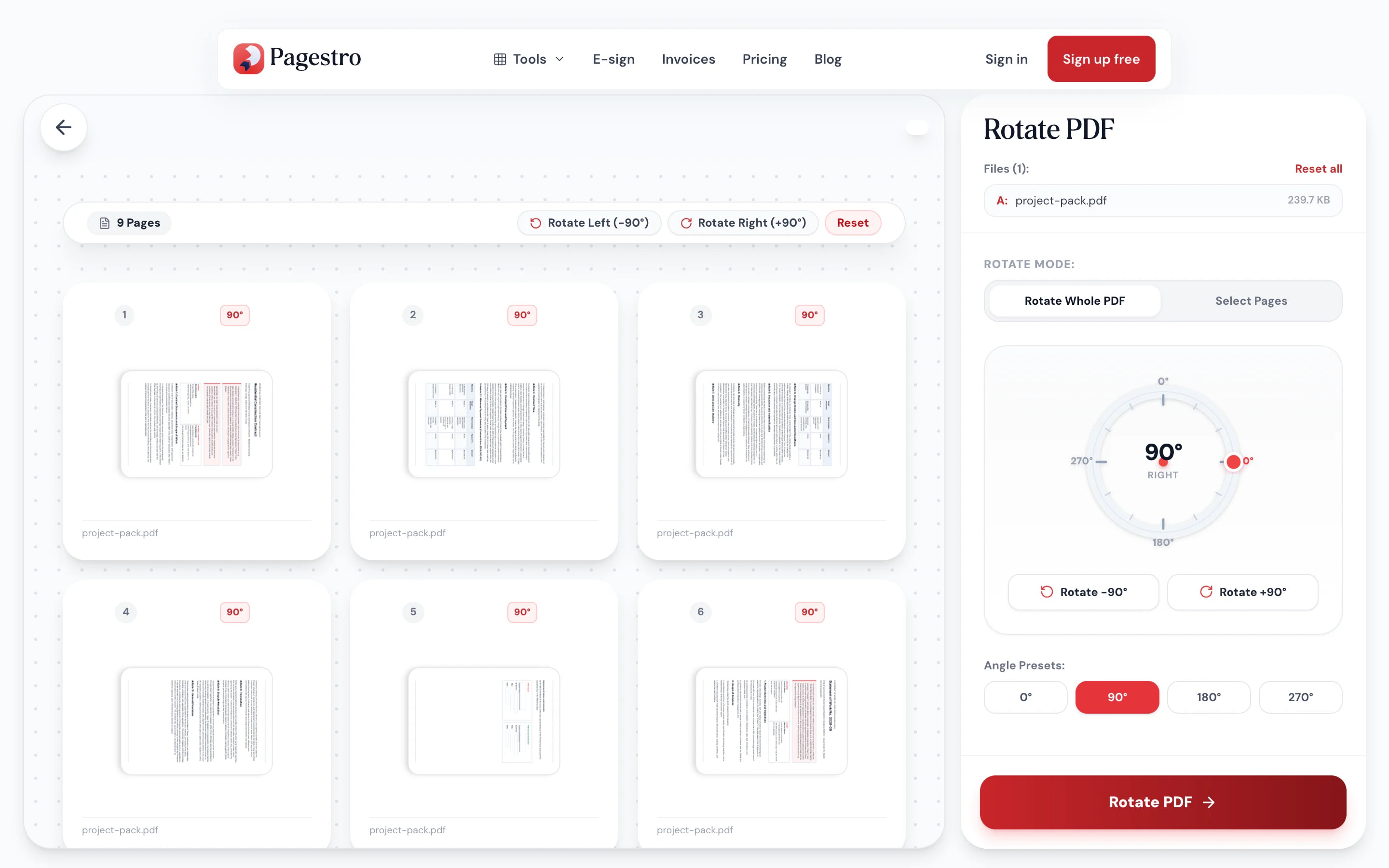
- 1Add your PDFDrop in a file up to 100 MB and 200 pages. Each page shows as a thumbnail.
- 2Choose what to rotateTurn the whole file, odd or even pages, a range like 3-7, or click the arrows on a single page.
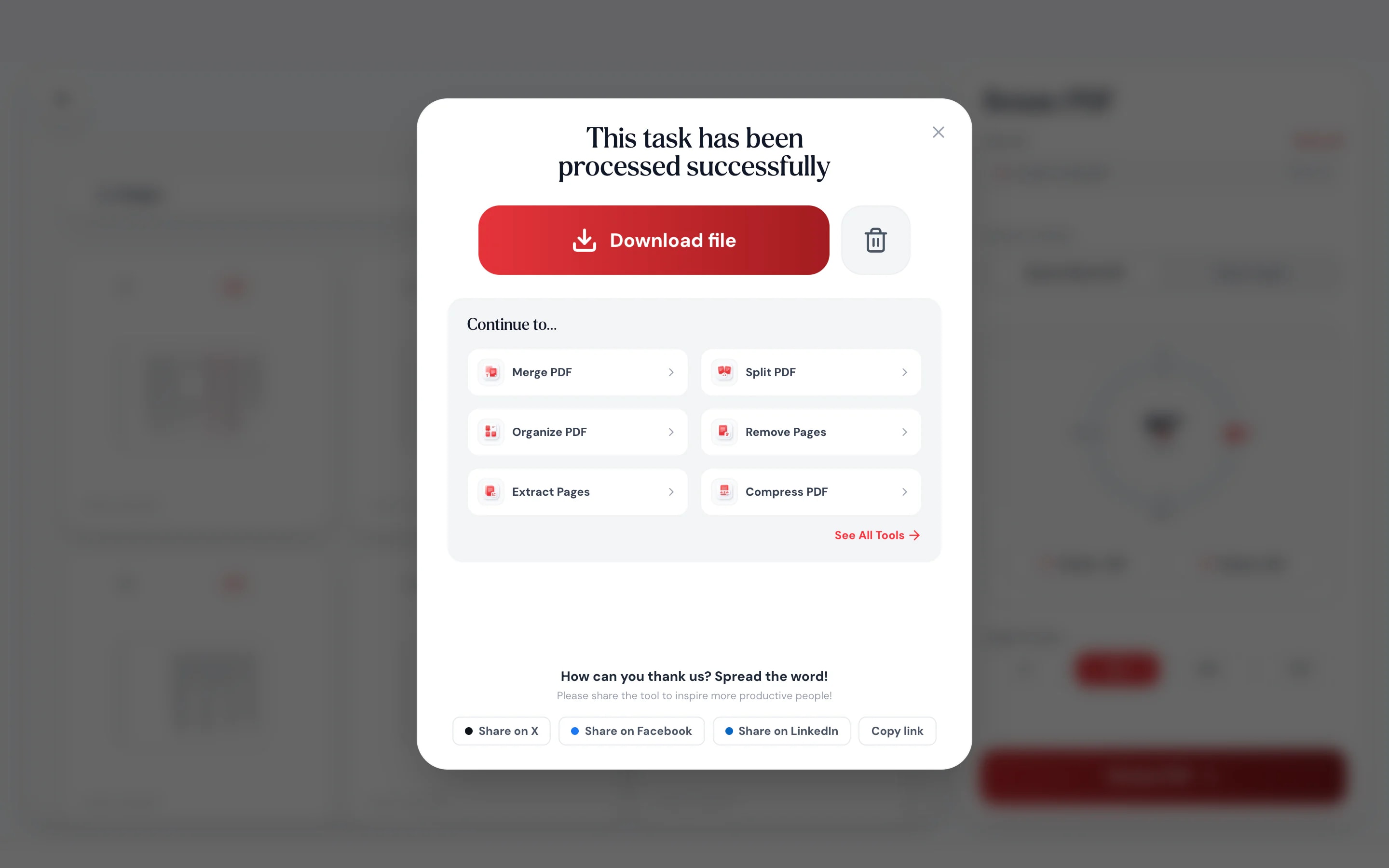
- 3DownloadSave the corrected PDF. Every page looks exactly as it did, just the right way up.
At a glance
- pages are turned, never redrawn
- Lossless
- uploaded: rotation runs on your device
- 0 bytes
- per PDF, up to 100 MB
- 200 pages
- no account, no watermark
- Free
Questions and answers
How do I rotate a PDF and save it?
Add the PDF, choose a direction, and press Rotate PDF. The download is a new PDF with the pages turned, so it opens the right way in any viewer.
Can I rotate just one page?
Yes. Each thumbnail has its own left and right arrows. Or choose Select Pages and type the page numbers or a range.
How do I rotate only odd or even pages?
Choose Select Pages, then pick odd or even pages. This is useful when every other page of a double-sided scan came out upside down.
Does rotating a PDF reduce the quality?
No. Pagestro changes each page’s rotation setting rather than redrawing it, so text, images and file size stay the same.
Why does my PDF still open sideways after I rotated it in a viewer?
Many viewers only turn the page on screen and don’t save it. Rotating here writes the new orientation into the file itself.
Are my files uploaded?
No. Rotation happens in your browser, so the PDF never leaves your device.
Is there a page limit?
Files can be up to 100 MB and 200 pages.
Related tools
At a glance
- pages are turned, never redrawn
- Lossless
- uploaded: rotation runs on your device
- 0 bytes
- per PDF, up to 100 MB
- 200 pages
- no account, no watermark
- Free
Turn pages the right way up
Drop in a file up to 100 MB and 200 pages. Each page shows as a thumbnail.
Turn the whole file, odd or even pages, a range like 3-7, or click the arrows on a single page.
Save the corrected PDF. Every page looks exactly as it did, just the right way up.

- 1
Add your PDF
Drop in a file up to 100 MB and 200 pages. Each page shows as a thumbnail.
- 2
Choose what to rotate
Turn the whole file, odd or even pages, a range like 3-7, or click the arrows on a single page.
- 3
Download
Save the corrected PDF. Every page looks exactly as it did, just the right way up.
Rotation without the side effects
Every page or just one
Rotate the whole document at once, then fine-tune single pages with their own left and right arrows.
No quality loss
Pages are turned, not re-rendered, so text and images stay crisp.
Odd or even pages
Fix every other page from a double-sided scan in one click.
Fix it on your phone
Rotate a scan your phone saved sideways and send it straight back.
Text stays searchable
Selectable text, links and form fields come through the rotation unchanged.
Nothing is uploaded
Your file is rotated in the browser and never sent to a server.
Lossless
Turned, not redrawn
Turning a page shouldn’t change what’s on it. Pagestro only changes the rotation setting each page already has, so the text, images and vector drawings inside stay exactly as they were.
- File size stays about the same
- Text stays selectable and searchable
- Rotate in steps of 90°, 180° or 270°
On your phone
Sideways scan in your inbox? Fix it there
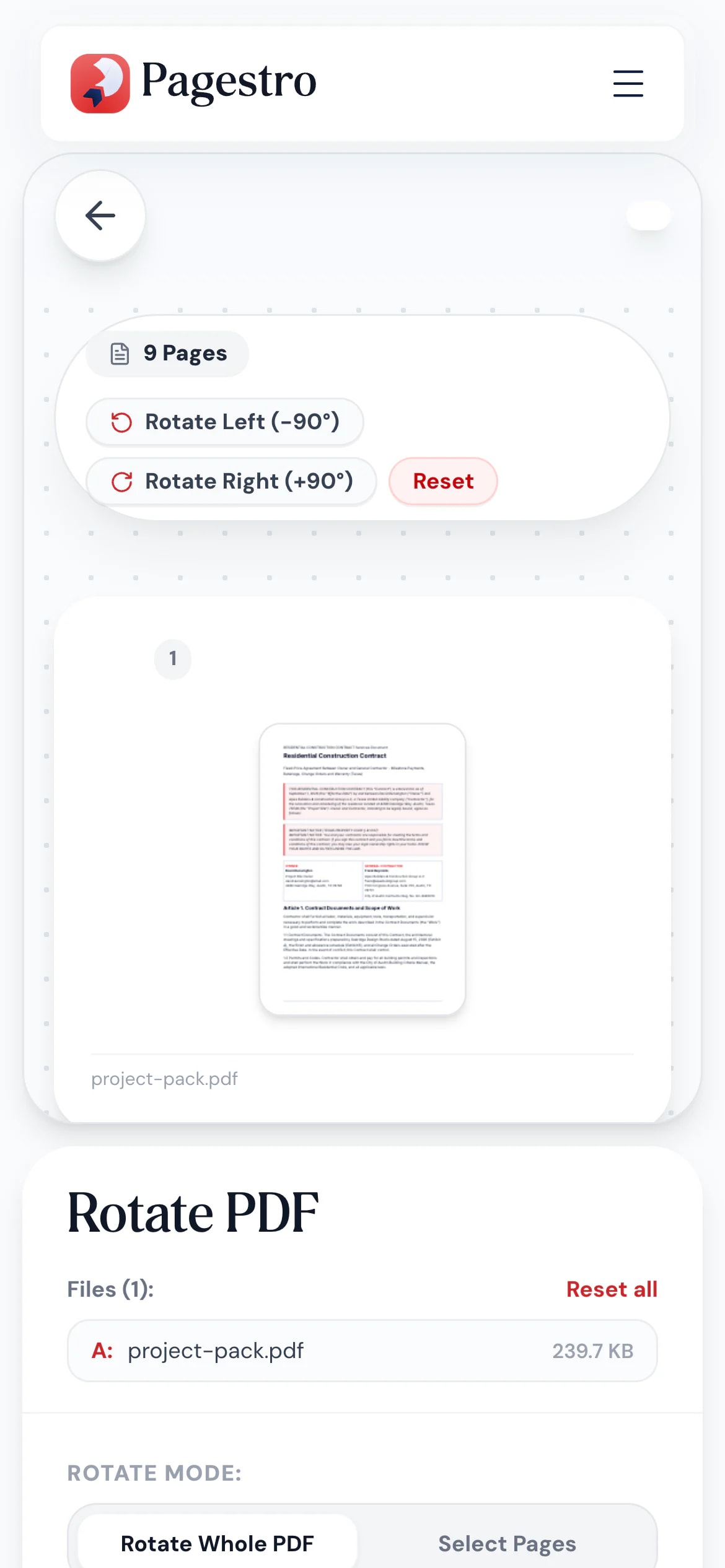
Phone scans and forwarded faxes often arrive turned on their side. Open Pagestro in your phone’s browser, rotate the pages and save the corrected PDF without installing anything.
- Works in Safari and Chrome on iOS and Android
- Rotate everything or only certain pages
- The fixed PDF saves straight to your phone
Readable without tilting your head
- Pages rotated
Clinics and offices
Scanned forms the right way up
Fix intake forms and faxes that came through sideways before filing them.
- Pages rotated
Engineers and architects
Landscape drawings in a portrait set
Turn wide plan sheets so they read correctly next to the rest of the set.
- Pages rotated
Students
Phone scans of handwritten work
Rotate pages captured in landscape so the teacher can read them.
How Pagestro compares
 Pagestro Pagestro | Desktop software | Upload-based sites | |
|---|---|---|---|
| Files stay on your device | Yes | Yes | No |
| Nothing to install | Yes | No | Yes |
| Works in a phone browser | Yes | No | Yes |
| Rotate single pages | Yes | Varies | Varies |
| Price | Free | Often a paid license | Often free with limits |
How do I rotate a PDF and save it?
Add the PDF, choose a direction, and press Rotate PDF. The download is a new PDF with the pages turned, so it opens the right way in any viewer.
Can I rotate just one page?
Yes. Each thumbnail has its own left and right arrows. Or choose Select Pages and type the page numbers or a range.
How do I rotate only odd or even pages?
Choose Select Pages, then pick odd or even pages. This is useful when every other page of a double-sided scan came out upside down.
Does rotating a PDF reduce the quality?
No. Pagestro changes each page’s rotation setting rather than redrawing it, so text, images and file size stay the same.
Why does my PDF still open sideways after I rotated it in a viewer?
Many viewers only turn the page on screen and don’t save it. Rotating here writes the new orientation into the file itself.
Are my files uploaded?
No. Rotation happens in your browser, so the PDF never leaves your device.
Is there a page limit?
Files can be up to 100 MB and 200 pages.
Related tools
 Organize PDFReorder, add, or remove pages with drag & dropOpen tool
 Crop PDFCrop and trim PDF page marginsOpen tool
 Scan to PDFCapture document scans from your mobile deviceOpen tool
 Merge PDFCombine multiple PDFs into one documentOpen tool
 Compress PDFReduce PDF file size while keeping qualityOpen tool


