
Invoice templates
How it works
- 1Choose a templateA design that fits your work, or a blank invoice.
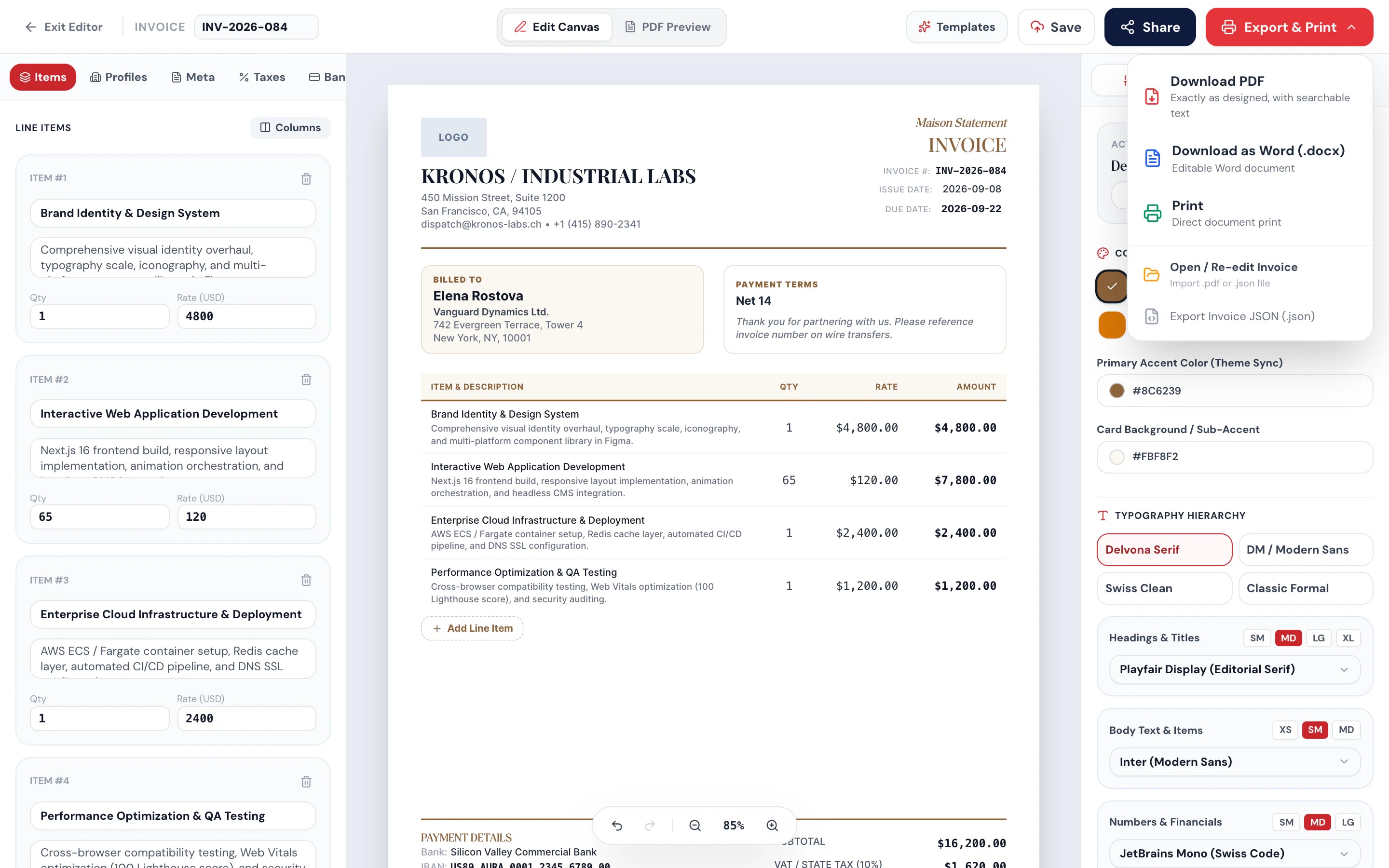
- 2Add your detailsBusiness, client, items and taxes. Totals update as you type.
- 3Download or sendSave a PDF or Word file, or email your client a link.
At a glance
- for freelancers, trades, studios and shops
- 23 templates
- from US dollars to Bangladeshi taka
- 21 currencies
- download without an account
- PDF or Word
- see when your client opens a sent invoice
- Viewed
Questions and answers
How do I make an invoice for free?
Pick a template at the top of this page, fill in your details and line items, and download the PDF. You don’t need an account to download.
Does Pagestro collect payments for me?
No. Your client pays you directly using the bank details, payment link or pay-by-QR code you add to the invoice. You then mark the invoice paid in Pagestro.
Can I add my logo and signature?
Yes. Upload your logo, choose the colors and add a signature to the invoice before you download or send it.
Can I email the invoice to my client?
Yes, with a free account. Your client gets a link to the invoice, and you see when they open it. How many you can send each month depends on your plan; see the table above.
Can I send recurring invoices?
Yes, on Pro and Business. Choose weekly, monthly, quarterly or yearly, and Pagestro sends the next invoice on schedule.
Do you send payment reminders?
You can send a reminder for any unpaid invoice yourself, once a day. On Pro and Business, overdue invoices also get up to 3 automatic reminders, at least 3 days apart.
Which currencies can I use?
Twenty-one, including US dollars, euros, British pounds, Indian rupees, Bangladeshi taka, UAE dirhams, Saudi riyals and Brazilian reais.
Run the rest of your business here
At a glance
- for freelancers, trades, studios and shops
- 23 templates
- from US dollars to Bangladeshi taka
- 21 currencies
- download without an account
- PDF or Word
- see when your client opens a sent invoice
- Viewed
Who it’s for
For people who bill clients themselves
- Invoice viewedOpened by the client
Freelancers
Projects and hours
Bill by project, or by the hour with an hours column.
- Invoice sentMaterials + labor
Trades and contractors
Materials and labor
Every line item on one bill, with tax and discounts.
- Marked paidMoved out of your to-do list
Small shops
Clients at home and abroad
Bill in the client’s currency, with your bank details or a payment link.
Invoices in Word look homemade
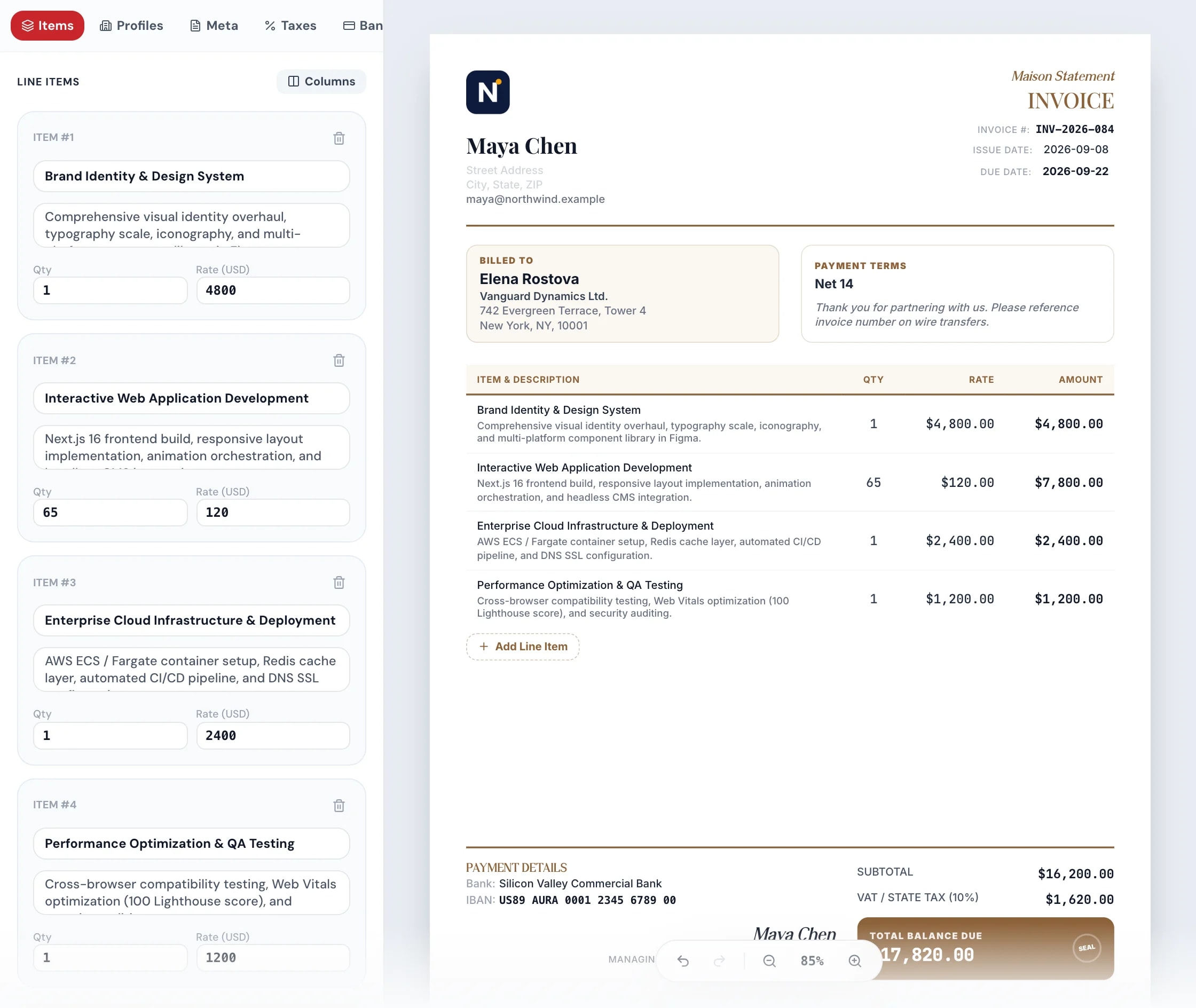
Pick a design, the totals add up
Choose one of 23 templates, add your logo and type your items. Tax, discounts and totals update as you type.
Clients pay late
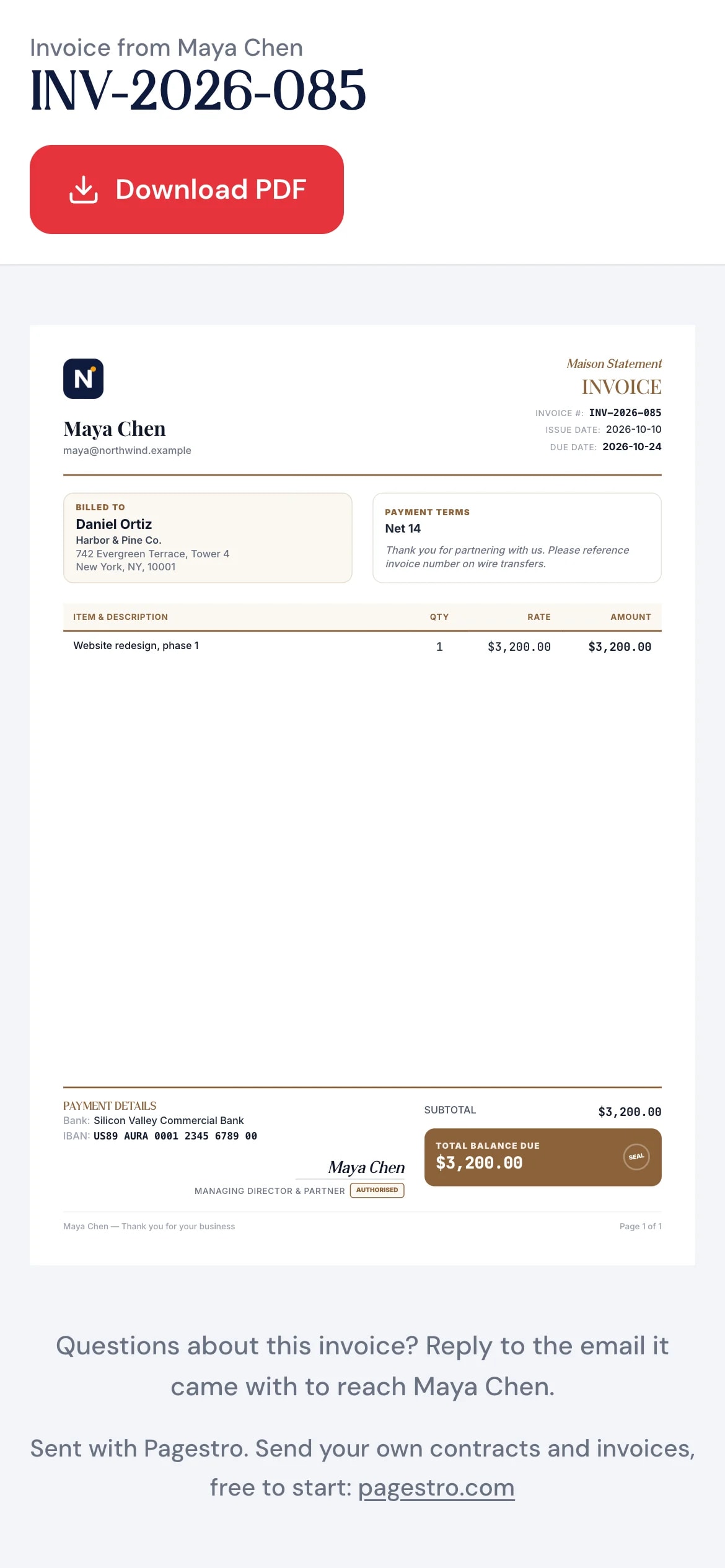
An invoice they can pay from their phone
Your client taps the link and sees a clean invoice that fits the screen, with your payment link, bank details or pay-by-QR code. The money goes straight to you.
Did they even open it?
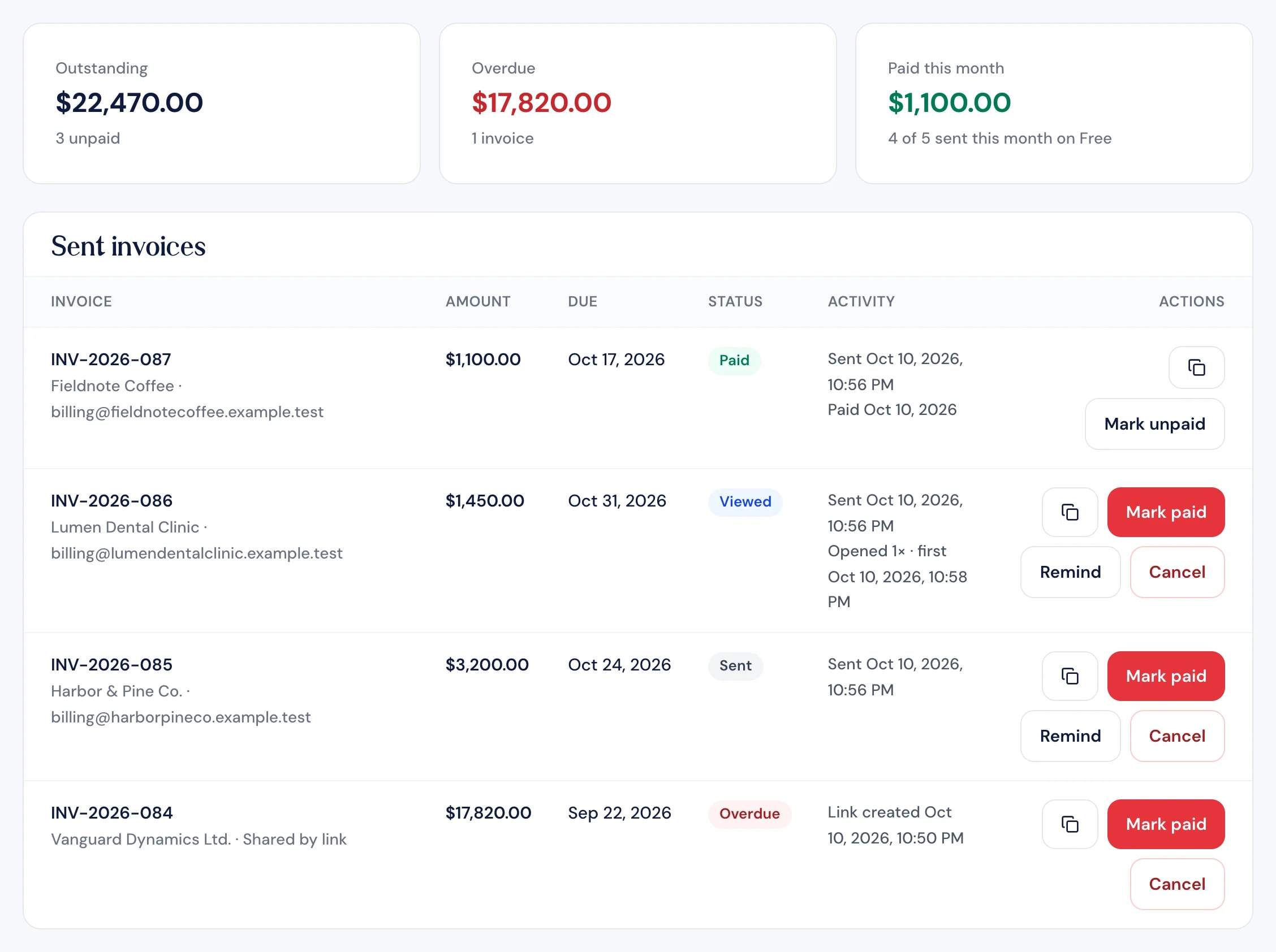
Sent, viewed, paid at a glance
Email an invoice from Pagestro and see when your client opens it. When the money arrives, mark it paid.
Key features
Invoices clients understand at a glance
A polished invoice in minutes
The layout, totals and tax lines take care of themselves.
Pay-by-QR code
Made from your payment link.
Your columns
Add hours or SKU, plus taxes and discounts.
Your brand on every invoice
Signed in, your business details fill in for you.
Recurring invoices on Pro
Weekly, monthly, quarterly or yearly.
How it works
Bill a client in three steps
A design that fits your work, or a blank invoice.
Business, client, items and taxes. Totals update as you type.
Save a PDF or Word file, or email your client a link.

- 1
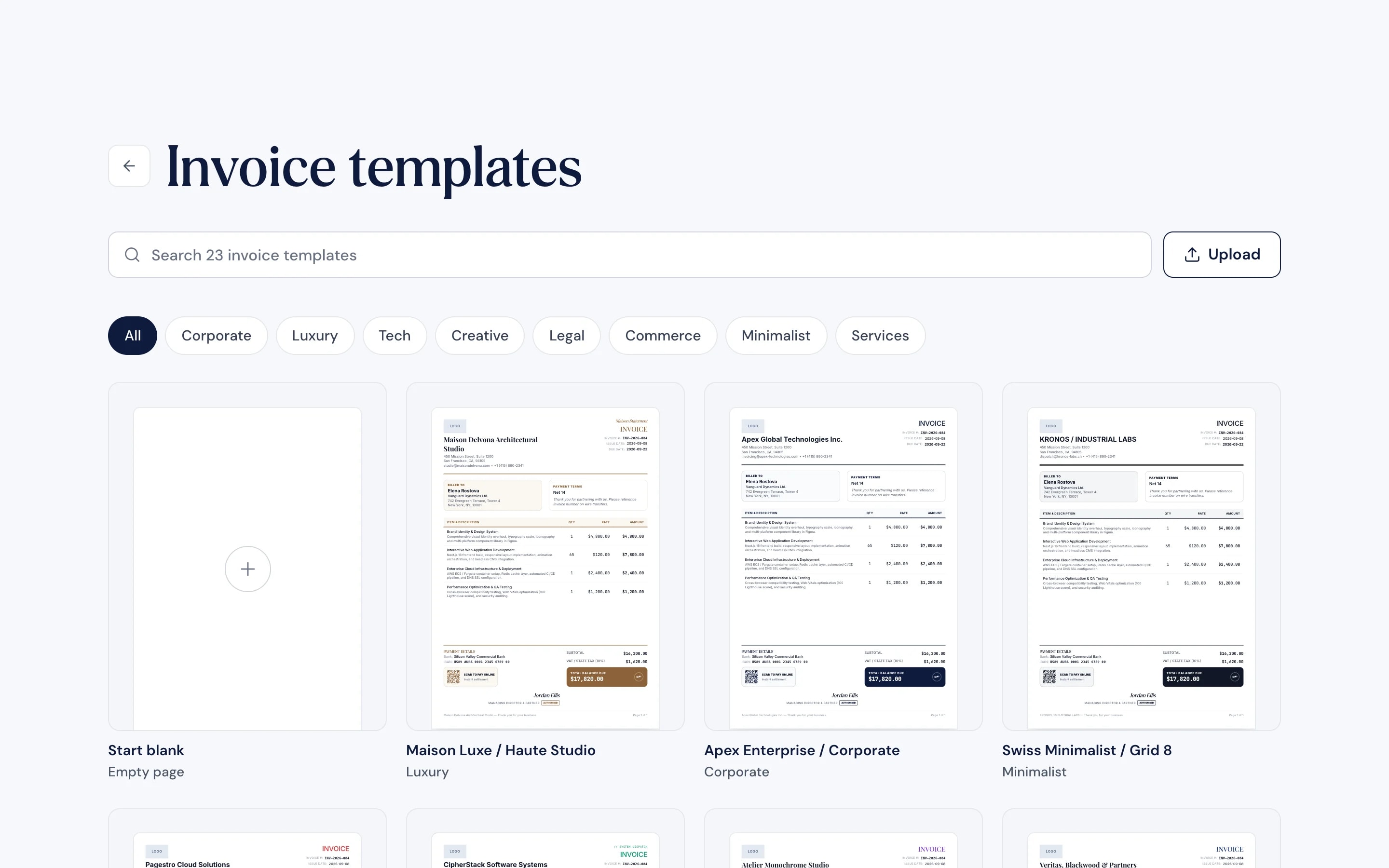
Choose a template
A design that fits your work, or a blank invoice.
- 2
Add your details
Business, client, items and taxes. Totals update as you type.
- 3
Download or send
Save a PDF or Word file, or email your client a link.
Pricing
What’s free, and what you get when you upgrade
Making and downloading invoices is free. Plans differ in how many you send from Pagestro each month.
Free
$0
No credit card, no time limit
- 5 invoices sent a month
- Templates, PDF and Word downloads: included
- Viewed status and reminders you send: included
- Recurring invoices and automatic reminders: not included
Starter
$7.99a month
7-day free trial
- 100 invoices sent a month
- Templates, PDF and Word downloads: included
- Viewed status and reminders you send: included
- Recurring invoices and automatic reminders: not included
Pro
Recommended$18.99a month
7-day free trial
- Unlimited invoices sent a month
- Templates, PDF and Word downloads: included
- Viewed status and reminders you send: included
- Recurring invoices and automatic reminders: included
Business
$48.99a month
7-day free trial
- Unlimited invoices sent a month
- Templates, PDF and Word downloads: included
- Viewed status and reminders you send: included
- Recurring invoices and automatic reminders: included
Prices in US dollars. Monthly limits reset at the start of each calendar month.
How Pagestro compares
 Pagestro | Spreadsheet template | Accounting software | |
|---|---|---|---|
| Designed templates | Yes | No | Varies |
| Email with “viewed” status | Yes | No | Varies |
| Collects card payments for you | No | No | Varies |
| Cost to start | Free plan | Free | Usually paid |
How do I make an invoice for free?
Pick a template at the top of this page, fill in your details and line items, and download the PDF. You don’t need an account to download.
Does Pagestro collect payments for me?
No. Your client pays you directly using the bank details, payment link or pay-by-QR code you add to the invoice. You then mark the invoice paid in Pagestro.
Can I add my logo and signature?
Yes. Upload your logo, choose the colors and add a signature to the invoice before you download or send it.
Can I email the invoice to my client?
Yes, with a free account. Your client gets a link to the invoice, and you see when they open it. How many you can send each month depends on your plan; see the table above.
Can I send recurring invoices?
Yes, on Pro and Business. Choose weekly, monthly, quarterly or yearly, and Pagestro sends the next invoice on schedule.
Do you send payment reminders?
You can send a reminder for any unpaid invoice yourself, once a day. On Pro and Business, overdue invoices also get up to 3 automatic reminders, at least 3 days apart.
Which currencies can I use?
Twenty-one, including US dollars, euros, British pounds, Indian rupees, Bangladeshi taka, UAE dirhams, Saudi riyals and Brazilian reais.
Run the rest of your business here
 Contracts & AgreementsCreate, customize & e-sign legal agreementsOpen tool
 QR Code StudioGenerate custom branded vector QR codesOpen tool
 Link ShortenerShorten links and track every clickOpen tool
 Sign PDFDraw, type or upload your signature and place it on a PDFOpen tool
 Merge PDFCombine multiple PDFs into one documentOpen tool
 Email BuilderDesign responsive emails with drag and dropOpen tool
