

Compress PDF
Reduce PDF file size while keeping quality.
or drop a file here · PDF up to 100 MB · files stay on your device
How it works
- 1Add your PDFDrop in the file that’s too big, up to 100 MB and 300 pages.
- 2Pick a levelExtreme for the smallest file, Recommended for a balance, or Less compression to keep more detail.
- 3Check the saving and downloadPagestro shows how much smaller the file got, then saves it to your device.
At a glance
- uploaded: compression runs on your device
- 0 bytes
- extreme, recommended or light
- 3 levels
- per PDF, files up to 100 MB
- 300 pages
- no sign-up, no watermark
- Free
Questions and answers
How do I reduce the size of a PDF?
Add the PDF, choose a compression level and press Compress PDF. Pagestro shows how much smaller the file is, then downloads it.
Which compression level should I pick?
Start with Recommended. If the file is still too big, try Extreme. If small text looks soft, use Less compression.
Is the text still selectable after compressing?
Yes. Pages aren’t turned into images. Text stays selectable and searchable, and links and fillable form fields keep working at every level.
Why didn’t my PDF get much smaller?
PDFs that are mostly text are often compact already, and scans already saved at a low resolution have little to gain. If Pagestro can’t make the file smaller, you get the original back unchanged.
Is it safe to compress confidential PDFs here?
Yes. Compression runs in your browser, so the file is never uploaded to Pagestro or anyone else.
What is the maximum file size?
Files can be up to 100 MB and 300 pages. Larger jobs also depend on your device’s memory.
Can I compress a PDF on my phone?
Yes. Open this page in Safari or Chrome, add the PDF, pick a level and download the smaller copy.
Pairs well with
At a glance
- uploaded: compression runs on your device
- 0 bytes
- extreme, recommended or light
- 3 levels
- per PDF, files up to 100 MB
- 300 pages
- no sign-up, no watermark
- Free
Make a PDF smaller in three steps
Drop in the file that’s too big, up to 100 MB and 300 pages.
Extreme for the smallest file, Recommended for a balance, or Less compression to keep more detail.
Pagestro shows how much smaller the file got, then saves it to your device.
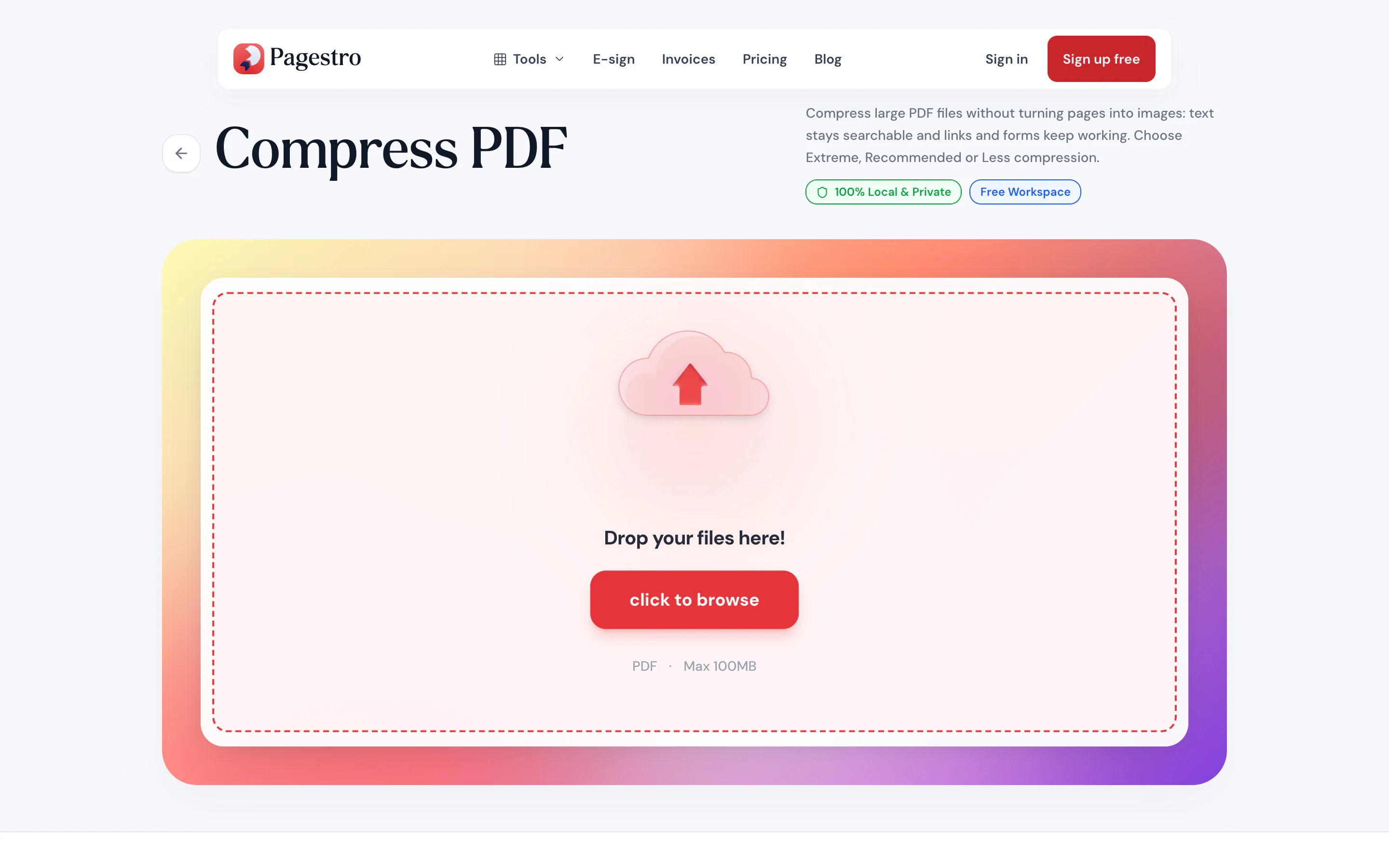
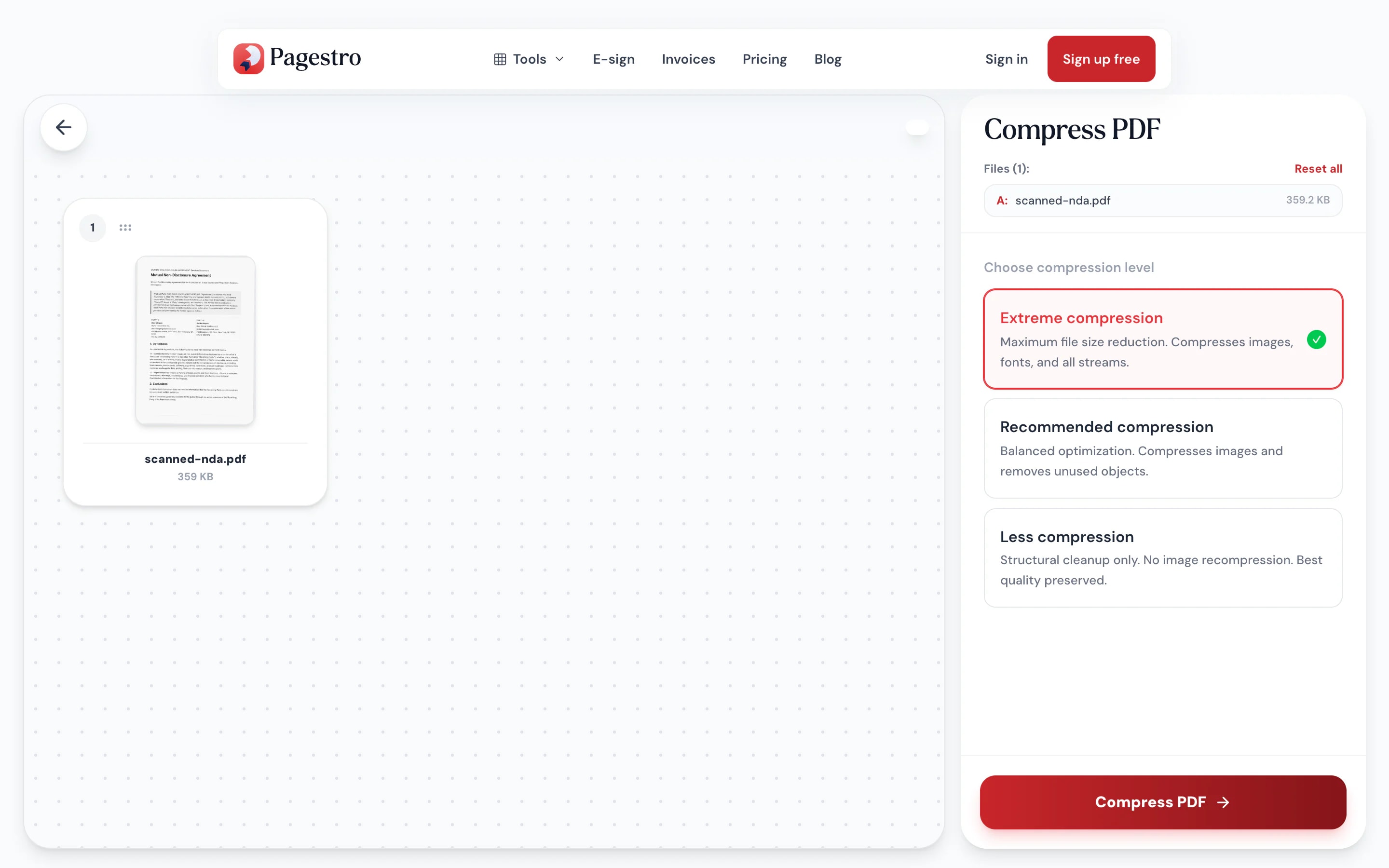
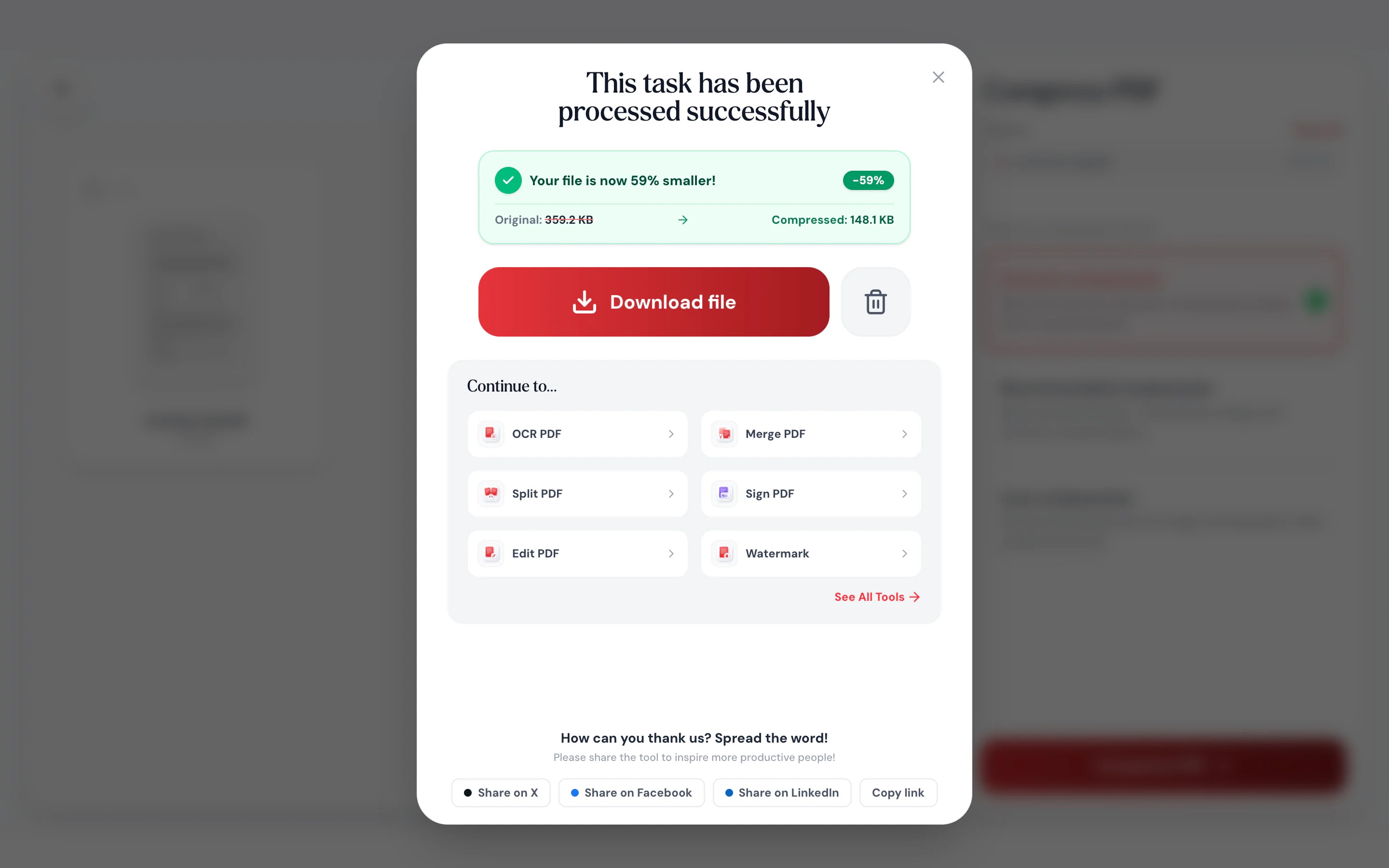
- 1
Add your PDF
Drop in the file that’s too big, up to 100 MB and 300 pages.
- 2
Pick a level
Extreme for the smallest file, Recommended for a balance, or Less compression to keep more detail.
- 3
Check the saving and download
Pagestro shows how much smaller the file got, then saves it to your device.
Small enough to send, clear enough to read
Built for scans, photo-heavy reports and anything that bounces back from an inbox.
Watch the size drop
Pick a level and see the result as a percentage before you share it. Try another level if you need it smaller.
Same page size
A4 stays A4 and Letter stays Letter, so printing isn’t affected.
Never bigger
If a file is already as small as it can get, you get the original back, never a larger copy.
Shrink it on your phone
Compress a scan before attaching it, right in your phone’s browser.
Your documents stay home
Payslips, IDs and medical letters are compressed in your browser. Nothing is uploaded.
No queue, no wait
There’s no upload before or download after, so the job starts the moment you press the button.
How it shrinks
Smaller files, pages left intact
Compress PDF strips unused and duplicate data, packs and compresses everything inside the file, and scales down photos that are sharper than a screen or printer needs. Pages are never turned into pictures, so text stays selectable and searchable, and links and form fields keep working.
- Extreme: photos down to 96 dpi and leaner fonts, for the smallest file
- Recommended: photos above 225 dpi down to 150 dpi
- Less compression: file clean-up only, every image untouched
On your phone
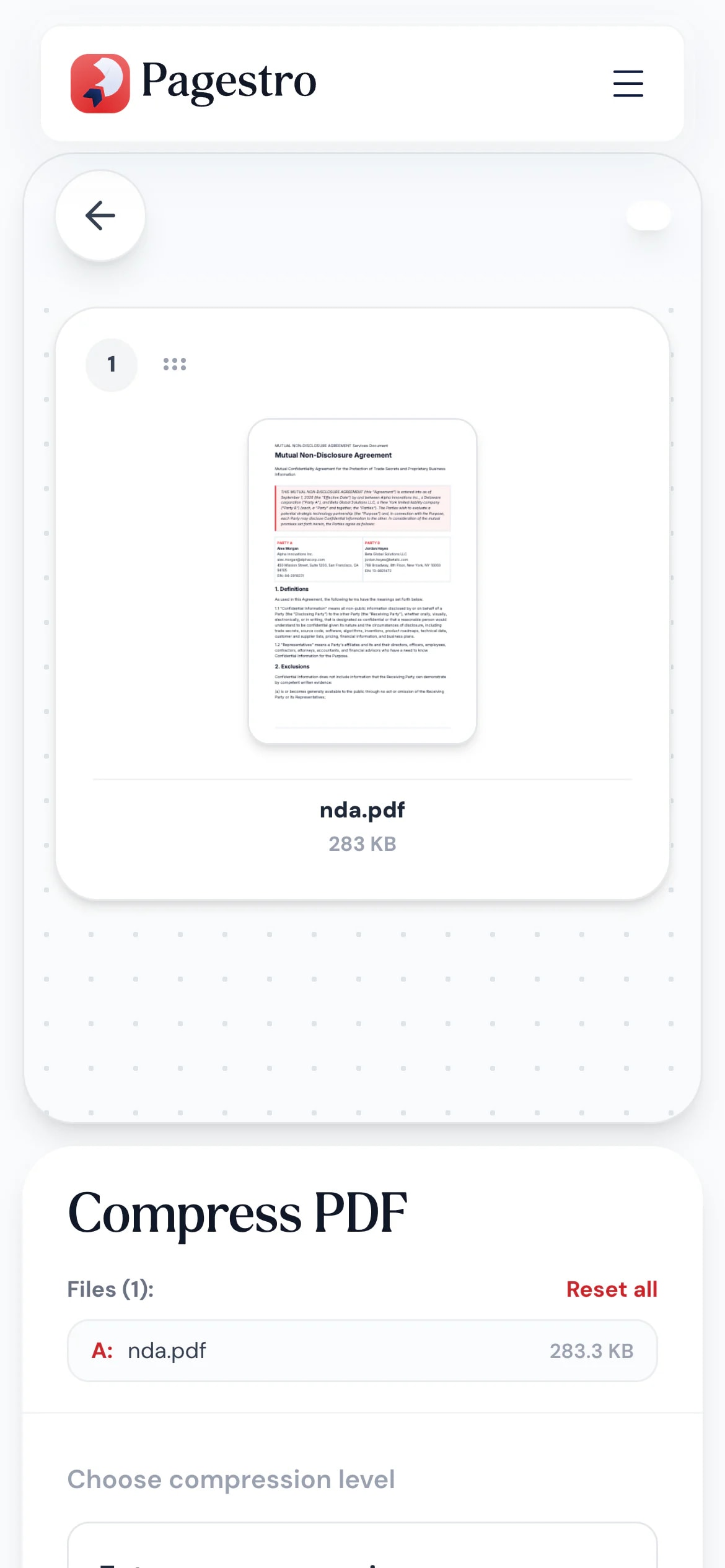
Attachment too large? Fix it there
When a form or portal rejects your upload for size, you’re often on your phone. Open Pagestro in the browser, compress the PDF and try the upload again. No app needed.
- Works in Safari and Chrome on iOS and Android
- Pick the file from Files, Drive or downloads
- Your original file isn’t changed
Under the limit on the first try
- portfolio.pdf · 1.8 MBUnder the 2 MB limit
Job seekers
Portals with size caps
Fit a scanned certificate or portfolio under an application form’s upload limit.
- statements.pdf12.6 MB → 2.3 MB
Homebuyers
Mortgage paperwork by email
Shrink scanned statements and IDs so they go through as attachments.
- report.pdf24 MB → 4.1 MB
Students
Assignments with photos
Hand in a report full of phone photos without hitting the upload limit.
- Inspection reportSent from site · 3.2 MB
Field teams
Inspection reports on mobile data
Send photo-heavy reports from site without waiting on a slow connection.
How Pagestro compares
 Pagestro Pagestro | Desktop software | Upload-based sites | |
|---|---|---|---|
| Files stay on your device | Yes | Yes | No |
| Nothing to install | Yes | No | Yes |
| Works in a phone browser | Yes | No | Yes |
| No upload of a large file first | Yes | Yes | No |
| Price | Free | Often a paid license | Often free with limits |
How do I reduce the size of a PDF?
Add the PDF, choose a compression level and press Compress PDF. Pagestro shows how much smaller the file is, then downloads it.
Which compression level should I pick?
Start with Recommended. If the file is still too big, try Extreme. If small text looks soft, use Less compression.
Is the text still selectable after compressing?
Yes. Pages aren’t turned into images. Text stays selectable and searchable, and links and fillable form fields keep working at every level.
Why didn’t my PDF get much smaller?
PDFs that are mostly text are often compact already, and scans already saved at a low resolution have little to gain. If Pagestro can’t make the file smaller, you get the original back unchanged.
Is it safe to compress confidential PDFs here?
Yes. Compression runs in your browser, so the file is never uploaded to Pagestro or anyone else.
What is the maximum file size?
Files can be up to 100 MB and 300 pages. Larger jobs also depend on your device’s memory.
Can I compress a PDF on my phone?
Yes. Open this page in Safari or Chrome, add the PDF, pick a level and download the smaller copy.
Pairs well with
 Merge PDFCombine multiple PDFs into one documentOpen tool
 Split PDFSplit PDF by pages, ranges or extract all pagesOpen tool
 OCR PDFMake scanned PDFs searchable and selectableOpen tool
 Compress ImageReduce image file size without quality lossOpen tool
 PDF to JPGExtract PDF pages as JPG imagesOpen tool
 Remove PagesDelete specific pages from your PDFOpen tool


