

At a glance
- $1,234.50 and 12% stay numbers you can sum
- Real numbers
- per PDF page, tables first
- 1 sheet
- uploaded: tables are read on your device
- 0 bytes
- no sign-up, no watermark
- Free
PDF tables to Excel in three steps
Drop in a report, statement or price list up to 100 MB.
Preview each page to see what was found before you convert.
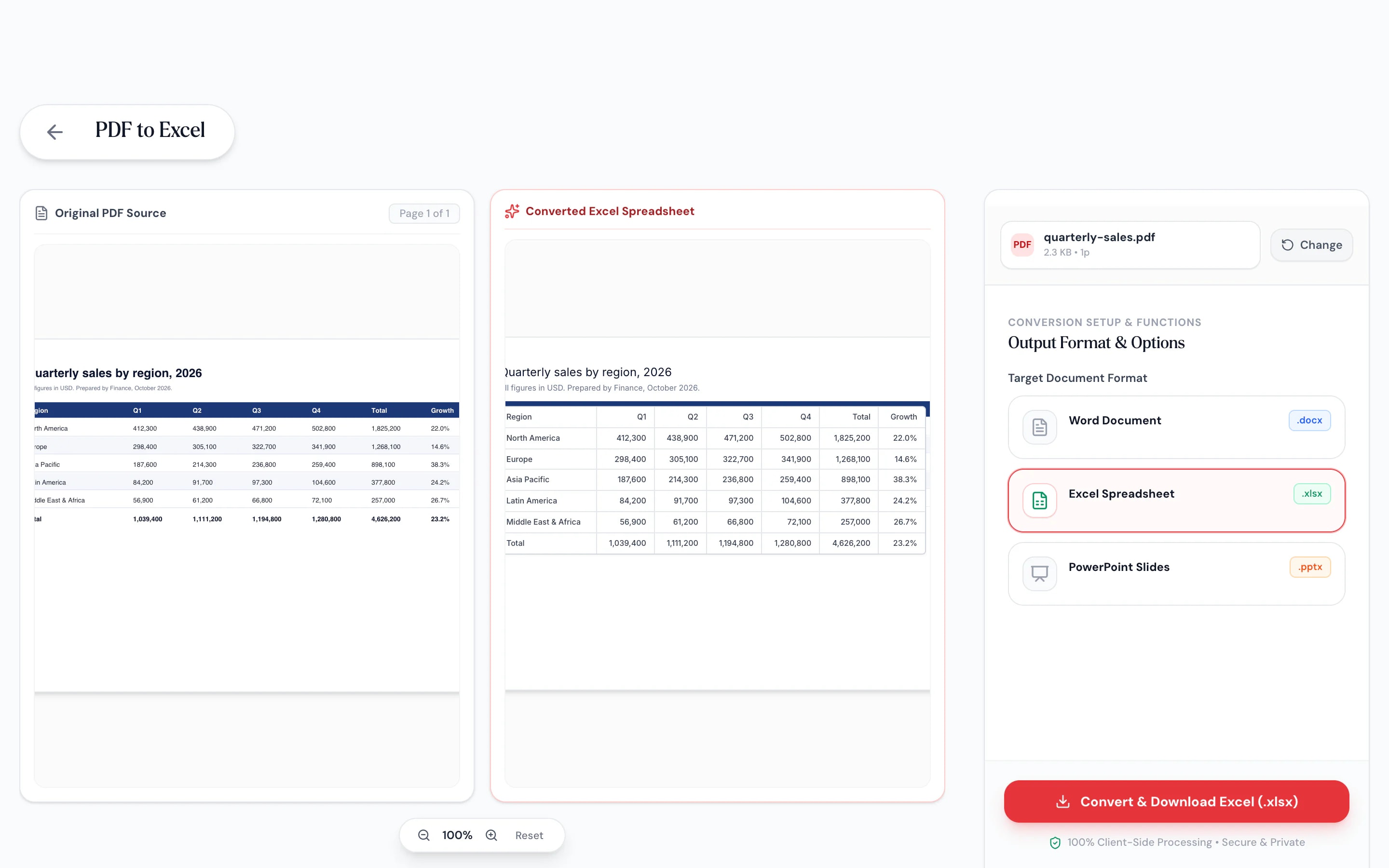
Each page becomes a sheet, with tables laid out in rows and columns.



- 1
Add your PDF
Drop in a report, statement or price list up to 100 MB.
- 2
Check the detected tables
Preview each page to see what was found before you convert.
- 3
Download the .xlsx
Each page becomes a sheet, with tables laid out in rows and columns.
Data you can use, not just look at
Tables become rows and columns.
Detected tables are rebuilt cell by cell, with the header row styled and any heading above the table kept as a title.
Numbers stay numbers.
Currency, percentages and negatives in brackets are stored as values with matching formats.
One sheet per page.
Multi-page PDFs get sheets named Page 1, Page 2 and so on, so every row traces back.
Preview before you convert.
Page through the detected content before the workbook is built.
Text pages too.
Pages without tables list their text blocks.
No upload.
Financial data stays on your device.
Ready for formulas
Sum the column the moment it opens
Numbers stored as text break totals and filters. Pagestro recognizes amounts like $1,234.50, (42.00) and 12.5% and stores them as real numbers with the right format, so totals, filters and charts work right away.
- Currency symbols kept as number formats
- Bracketed amounts become negatives
- Percentages stored as true percentages

On your phone
Grab the numbers from an attachment
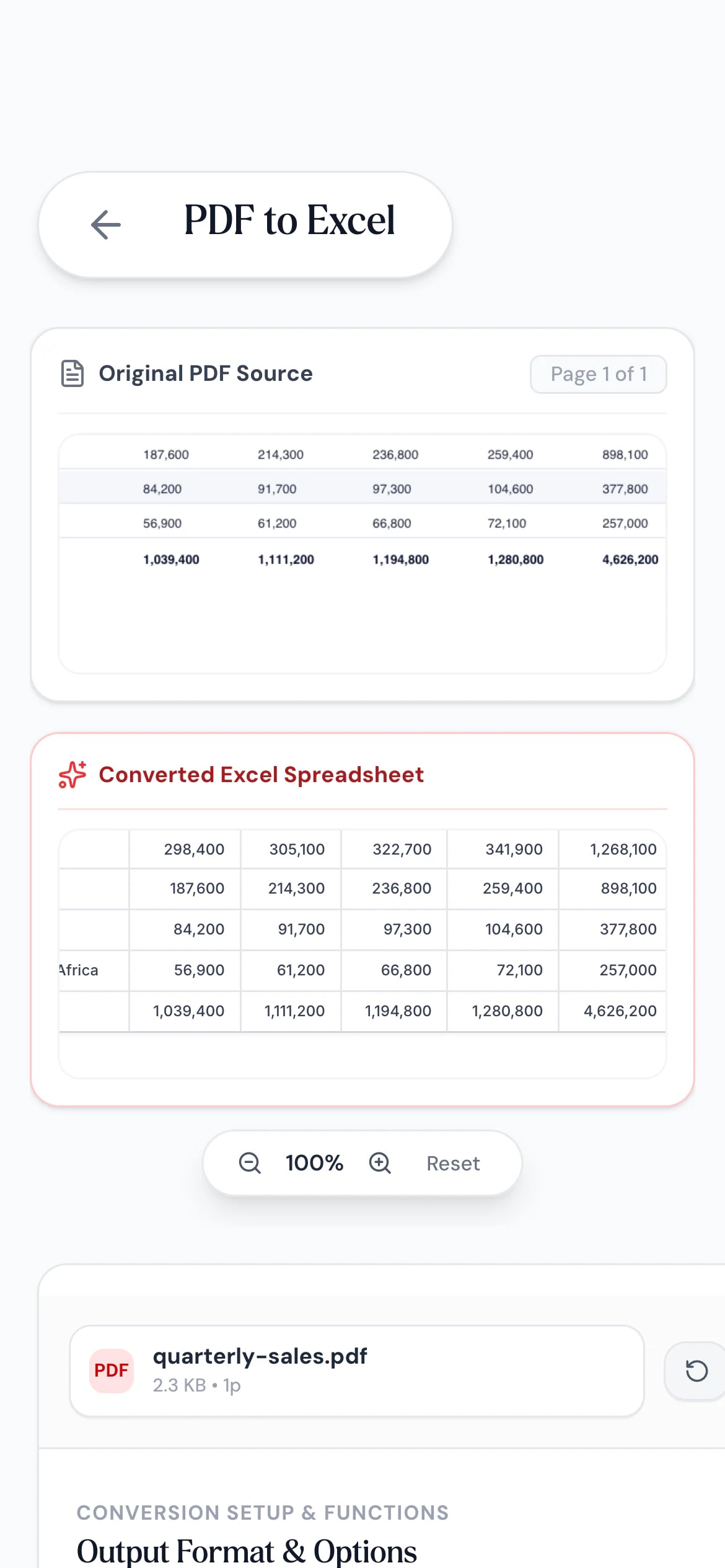
An invoice or statement arrived as a PDF and you need the figures. Convert it in your phone’s browser and open the .xlsx in your spreadsheet app.
- Works in Safari and Chrome on iOS and Android
- Pick the PDF from Files, Drive or downloads
- The workbook saves straight to your phone
Tables out of PDFs, into work
Accountants
Statements into a ledger.
Bring transaction tables into Excel for reconciliation.
Buyers
Supplier price lists.
Compare prices from PDF catalogs side by side in one workbook.
Analysts
Report tables for analysis.
Pull figures out of published reports to chart and model.
How Pagestro compares
 Pagestro
PDF stays on your device
- Pagestro
- Yes
- Desktop software
- Yes
- Upload-based sites
- No
Nothing to install
- Pagestro
- Yes
- Desktop software
- No
- Upload-based sites
- Yes
Amounts stored as numbers
- Pagestro
- Yes
- Desktop software
- Varies
- Upload-based sites
- Varies
Preview before converting
- Pagestro
- Yes
- Desktop software
- Varies
- Upload-based sites
- Varies
Price
- Pagestro
- Free
- Desktop software
- Often a paid license
- Upload-based sites
- Often free with limits
How do I convert a PDF table to Excel?
Add the PDF, check the preview and press Convert & Download. Each page becomes a sheet with its tables laid out in rows and columns.
Will numbers be usable in formulas?
Yes. Amounts such as $1,234.50, 12.5% and (42.00) are stored as numbers with matching formats, so SUM and other formulas work right away.
What happens to pages without tables?
Their text is listed on the sheet, one block per row, with a column describing each block, such as a heading or paragraph.
Does it work with scanned PDFs?
Scanned pages contain pictures, not text. Use OCR PDF, which recognizes the text and can export tables to Excel or CSV.
Can I put all tables on one sheet?
Each PDF page gets its own sheet, which keeps rows traceable to their page. You can copy them into one sheet in Excel afterwards.
Is my PDF uploaded?
No. Tables are detected and the workbook is built in your browser, so the file never leaves your device.


