
Contracts & Agreements
At a glance
- NDA, service agreement, lease, promissory note and more
- 11 templates
- signature requests on the free plan
- 3 a month
- every view, signature and decline recorded
- Audit trail
- needed by the people who sign
- No account
How it works
Draft, fill in, get it signed
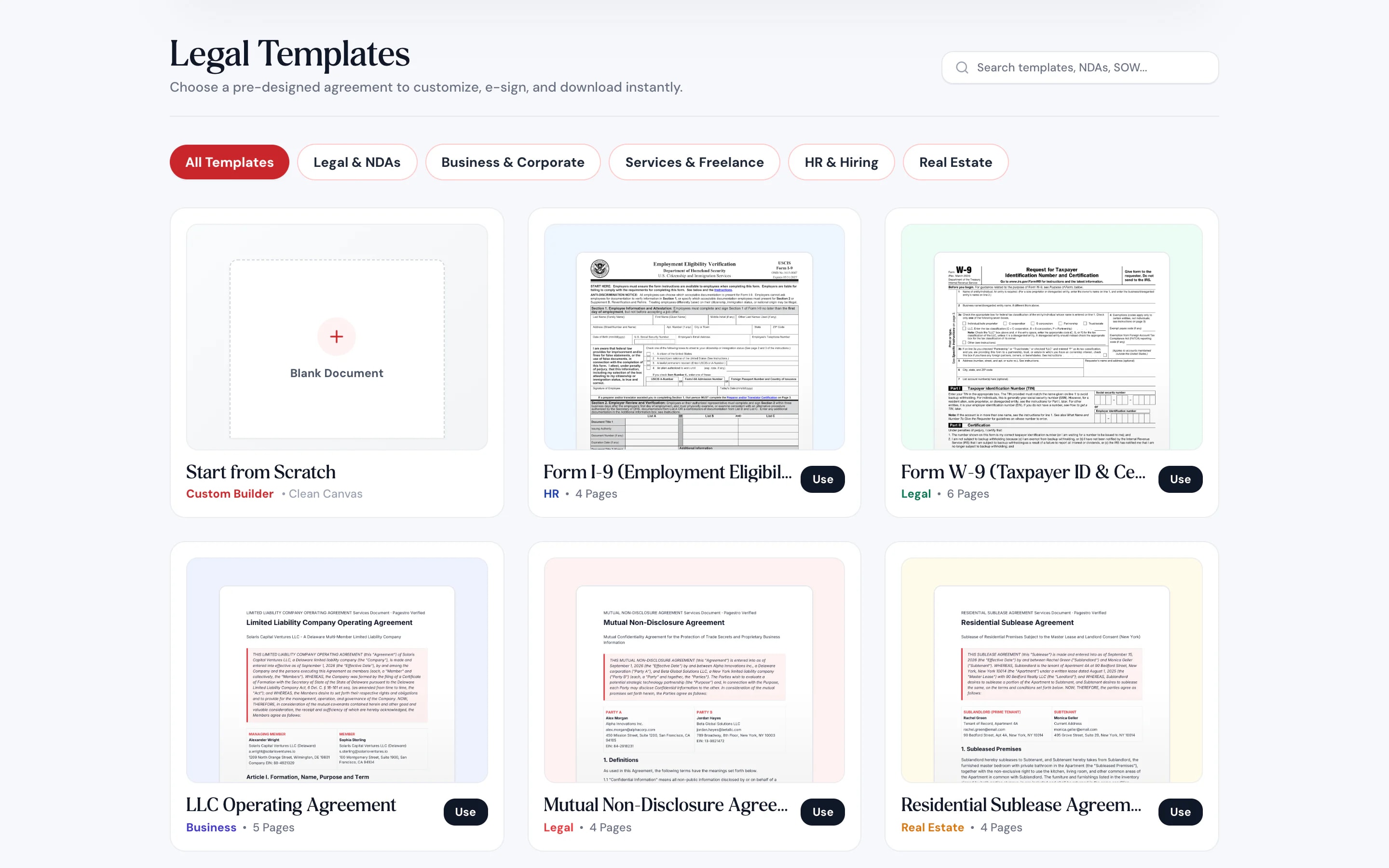
Start from one of 11 templates, or bring your own PDF or Word document.
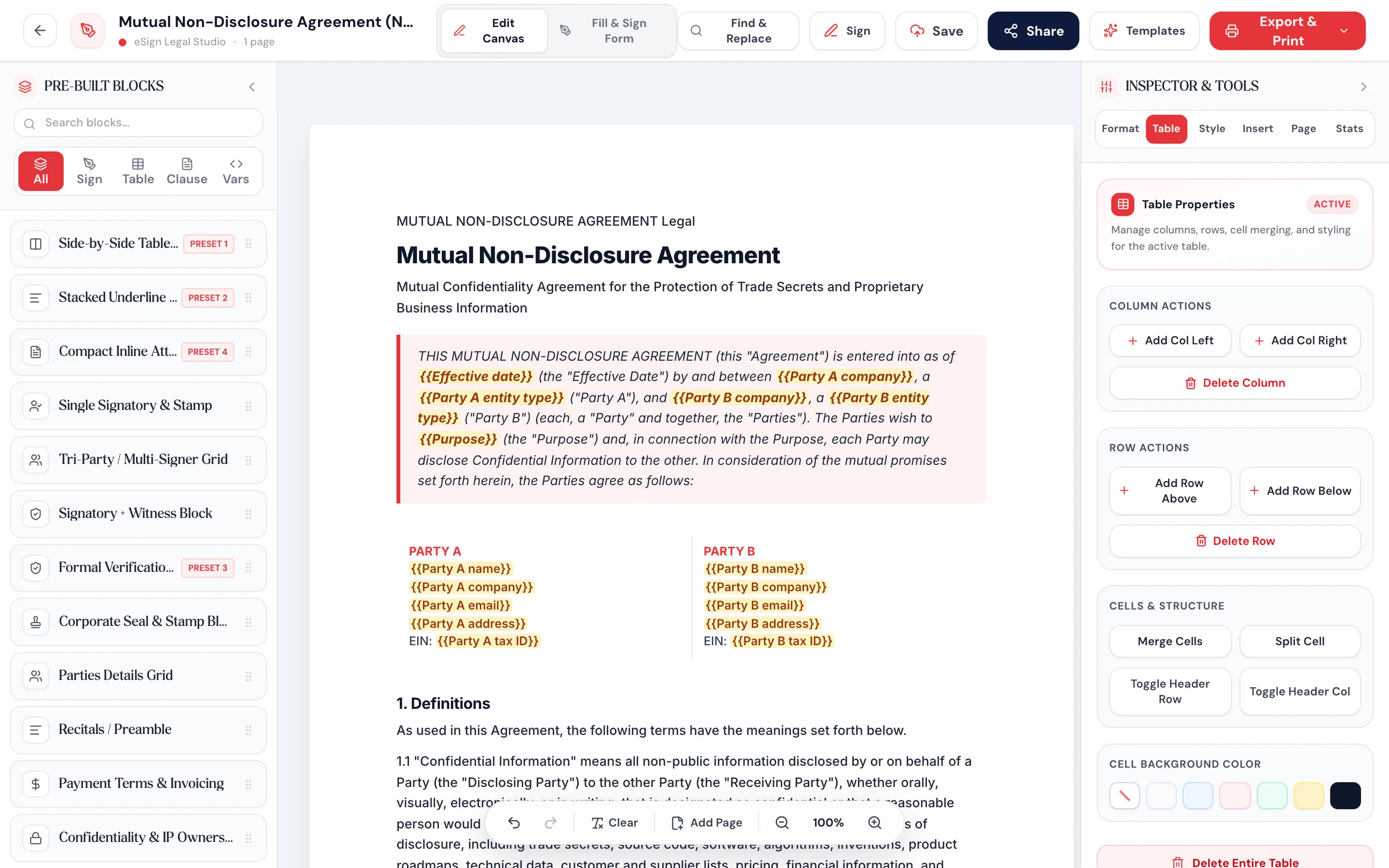
Change any clause, fill in names and amounts, and drop in signature, date and initials fields.
Sign it yourself and download, or email signing links. Signers can sign on their phone.


- 1
Pick a template or upload
Start from one of 11 templates, or bring your own PDF or Word document.
- 2
Edit and add fields
Change any clause, fill in names and amounts, and drop in signature, date and initials fields.
- 3
Sign or send
Sign it yourself and download, or email signing links. Signers can sign on their phone.
What’s inside
Agreements that do more than sit there
From blank page to sent.
Templates, an editor and signature requests in one place, so the agreement never bounces between apps.
Fields signers fill in.
Signature, initials, date signed, company, checkboxes, dropdowns and more.
Clauses that adapt.
Include a clause only when a condition is met.
Signing on a phone.
Signers open the email link and sign with a finger. No app, no account.
A trail you can check.
Every step is recorded in a hash chain, so later edits to the trail are detectable.
Signing order on Pro.
Send to signers one after another or all at once. Pro adds signing order and automatic reminders.
Bring your own document.
Upload a PDF or Word file, edit it, and add fields just like a template.
Audit trail included
Every signature leaves a record
When you send an agreement, Pagestro freezes the text and records its fingerprint. Each view, signature, decline and reminder is written to a trail where every entry covers the one before it. The signed PDF ends with a certificate listing the signers, times and fingerprints.
- Document fingerprint taken when you send
- Opened, signed and declined events with times
- A completion certificate in the signed PDF
For your signers
They sign from the email link
The people you send to don’t create an account or install anything. They open a private link, read the agreement, fill in their fields and sign on whatever device is in their hand.
- Up to 10 signers per request
- Links stay open for 30 days
- Signers can decline and give a reason
Who uses it
Agreements small teams sign every month
Freelancers
Statements of work.
Scope, price and dates agreed before the work starts.
Founders
NDAs and operating agreements.
Mutual NDAs for early talks, an LLC agreement for the partners.
Renters
Subleases and roommate agreements.
Rent, deposit and house rules in writing, signed by everyone.
Contractors
Construction contracts.
Price, schedule and payment terms signed before the first day on site.
How Pagestro compares
 Pagestro
Contract templates included
- Pagestro
- Yes
- Separate e-sign app
- Varies
- Print, sign and scan
- No
Signers need no account
- Pagestro
- Yes
- Separate e-sign app
- Varies
- Print, sign and scan
- Yes
Audit trail of views and signatures
- Pagestro
- Yes
- Separate e-sign app
- Yes
- Print, sign and scan
- No
Invoices, QR codes and PDF tools in one account
- Pagestro
- Yes
- Separate e-sign app
- No
- Print, sign and scan
- No
Cost to start
- Pagestro
- Free plan
- Separate e-sign app
- Varies
- Print, sign and scan
- Printer and scanner
Contracts and e-signature questions
Didn't find your answer? Write to us and we'll reply by email.
Are electronic signatures valid?
Electronic signatures are recognized for many agreements under laws such as the US ESIGN Act and the EU’s eIDAS regulation, though some documents, like wills, still need ink. Pagestro keeps an audit trail to support your agreement. This isn’t legal advice; ask a lawyer about important contracts.
Does the other person need an account?
No. They open the link in their email, review the document and sign. Only you need a Pagestro account to send.
Which templates are included?
Mutual NDA, service agreement, statement of work, LLC operating agreement, residential lease, residential sublease, roommate agreement, promissory note, construction contract, and Forms W-9 and I-9.
Can I upload my own contract?
Yes. Upload a PDF or Word (.docx) file, edit the text, and add signature and other fields before sending.
How many people can sign one document?
Up to 10 signers per request. On Pro, you can also set the order they sign in.
What does the free plan include?
All templates, signing documents yourself, and 3 signature requests a month. Starter raises that to 25, Pro to 100 with signing order and reminders, and Business to 500.
Are the templates legal advice?
No. They’re starting points you can edit. For high-stakes agreements, have a lawyer review the final text.
Works well with
 Sign PDFAdd a digital signature to your PDFOpen tool
 Invoice GeneratorCreate, customize & export premium enterprise invoicesOpen tool
 PDF FormsFill out PDF forms and add interactive fieldsOpen tool
 Edit PDFAdd text, images, shapes or freehand annotations to a PDFOpen tool
 Protect PDFPassword-protect your PDF with 256-bit AESOpen tool
 Merge PDFCombine multiple PDFs into one documentOpen tool