

Crop PDF
Crop and trim PDF page margins.
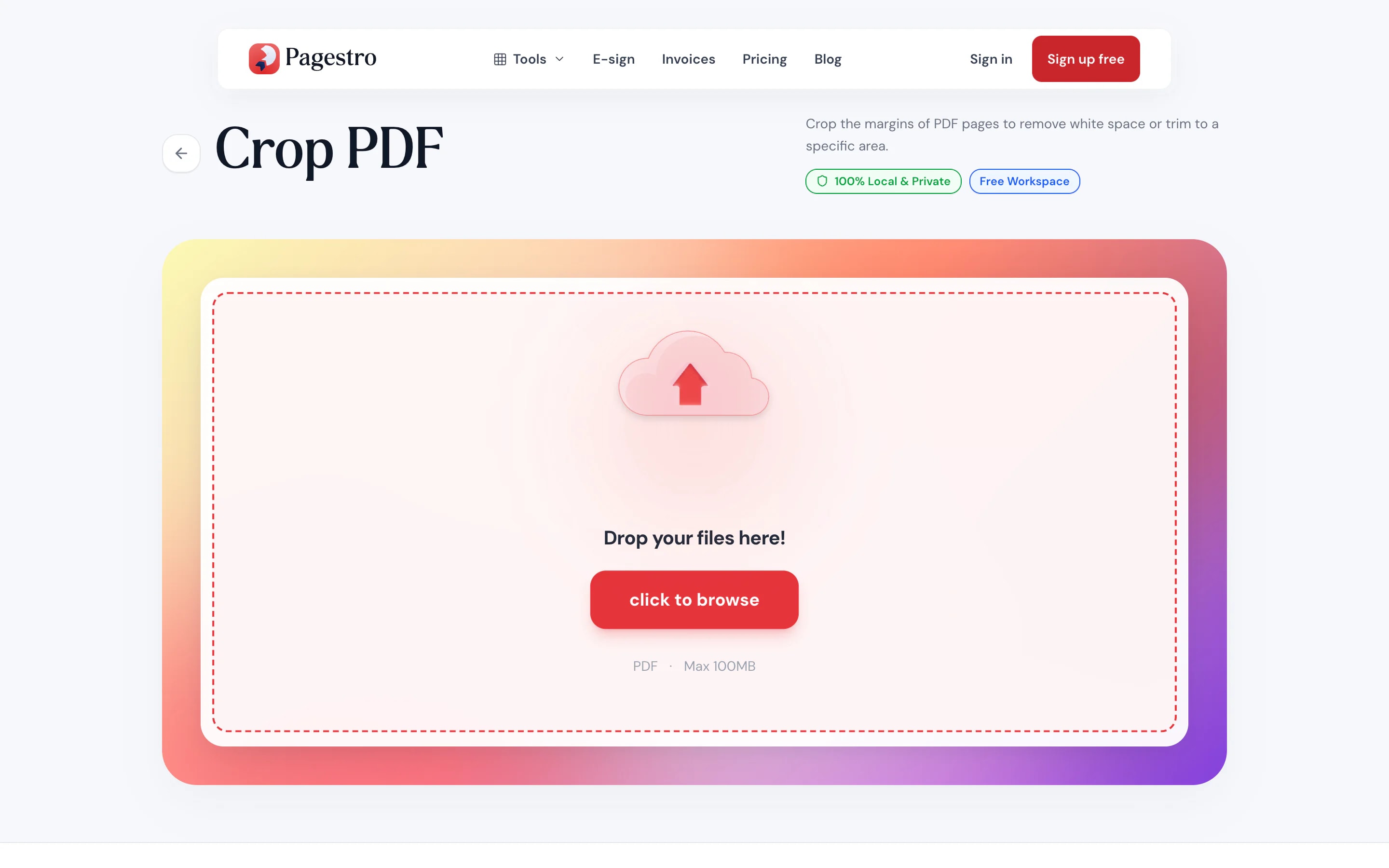
or drop a file here · PDF up to 100 MB · files stay on your device
How it works
- 1Add your PDFDrop in one PDF of up to 100 pages. The first page opens in the crop view.
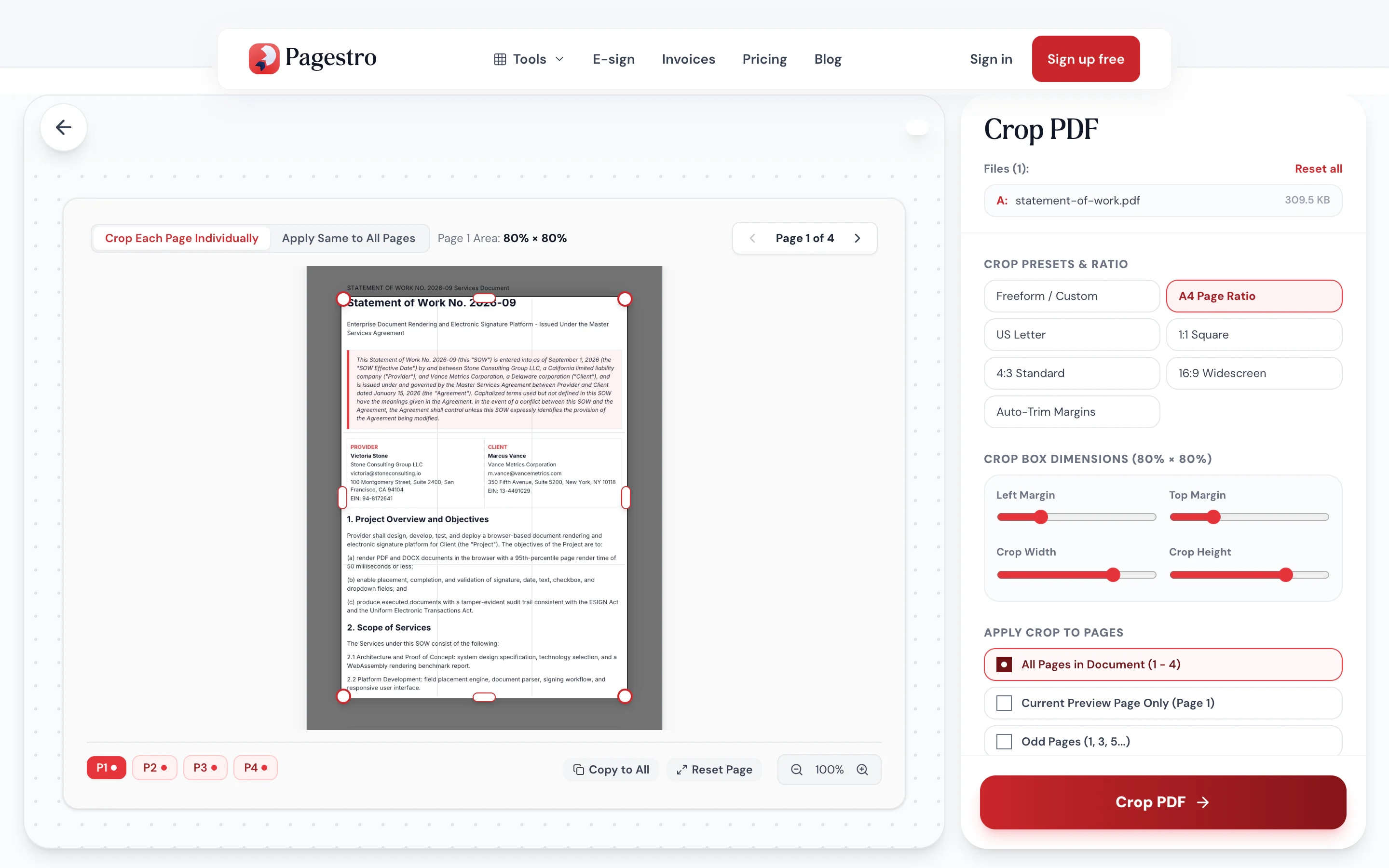
- 2Set the crop boxDrag the corners, or start from a preset like A4, US Letter or square.
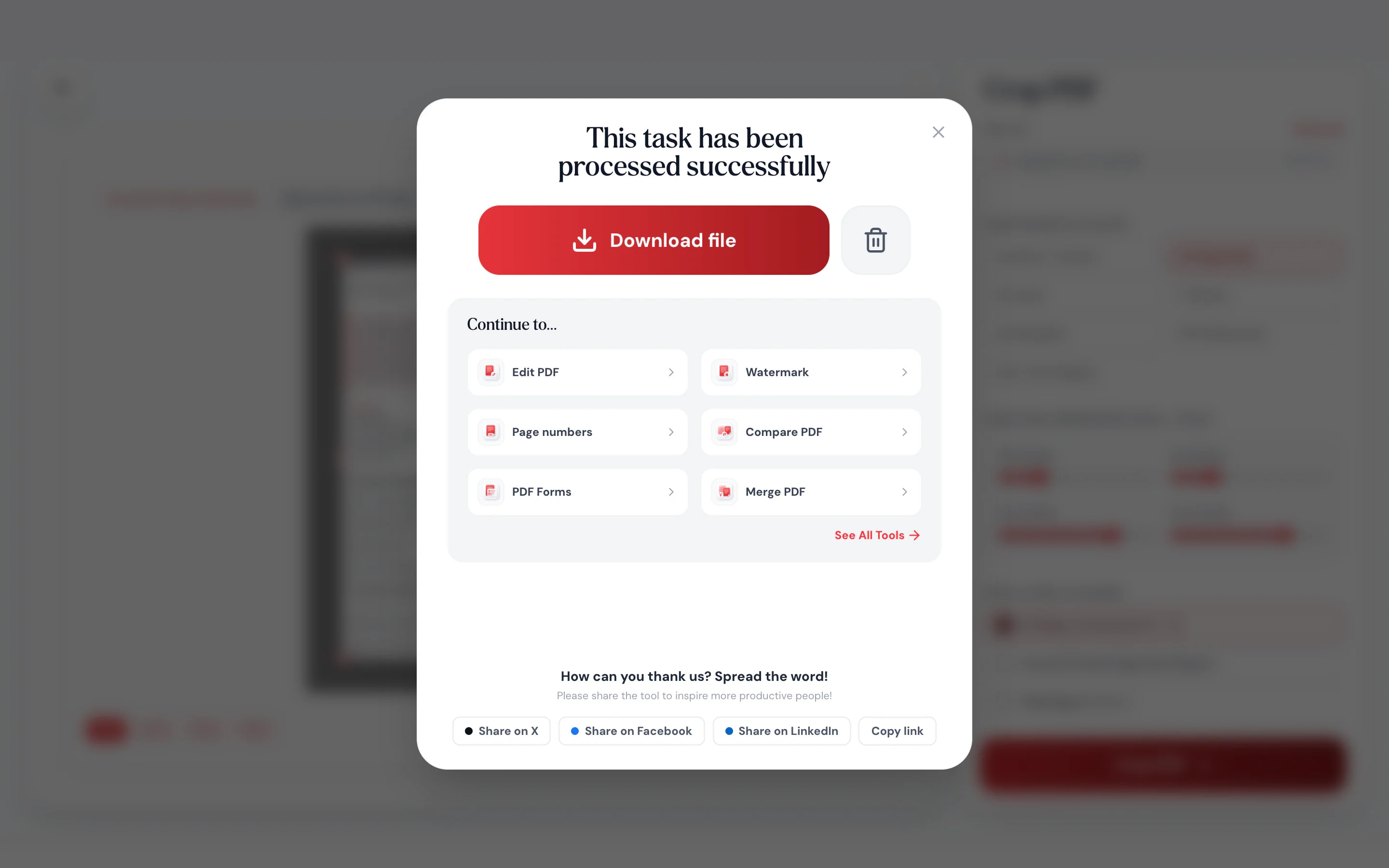
- 3Pick pages and downloadCrop every page, odd or even pages, or a range like 1, 3-5.
At a glance
- uploaded: cropping runs on your device
- 0 bytes
- one crop for all, or a different one for each
- Per page
- text stays text, nothing is turned into an image
- Sharp
- no sign-up and no watermark
- Free
Questions and answers
How do I crop a PDF?
Add the PDF to the tool at the top of this page, drag the crop box over the area you want to keep, choose which pages to crop and download.
Can I crop just one page of a PDF?
Yes. Choose “current page” or type a range such as 2 or 4-6. Other pages stay as they are.
Can I crop each page differently?
Yes. Move to a page and set its box. When one page is right, you can copy its crop to every page.
Will cropping reduce the quality?
No. Pagestro changes the visible area of each page. Text stays selectable and images keep their original quality.
Does cropping delete the content outside the box?
With Lossless Vector (the default), no: the area outside the box is hidden, not removed, so PDF software can still find it. Choose 300 or 150 DPI under Resolution and each cropped page is flattened to an image, which leaves nothing outside the box. To remove private information, use Redact PDF.
What does Auto-Trim do?
It looks at every page, finds where the text and pictures actually are, and sets the crop box just outside them, page by page. With Apply Same to All Pages it uses one box that fits all of them.
How do I crop a shipping label from a PDF?
Open the label PDF, drag the box around the label, choose that page and download. Print the cropped page at actual size.
Is my PDF uploaded?
No. Cropping runs in your browser on your own device. The file is never sent to Pagestro.
Keep working on your PDF
At a glance
- uploaded: cropping runs on your device
- 0 bytes
- one crop for all, or a different one for each
- Per page
- text stays text, nothing is turned into an image
- Sharp
- no sign-up and no watermark
- Free
How it works
Drag, choose pages, download
Drop in one PDF of up to 100 pages. The first page opens in the crop view.
Drag the corners, or start from a preset like A4, US Letter or square.
Crop every page, odd or even pages, or a range like 1, 3-5.
- 1
Add your PDF
Drop in one PDF of up to 100 pages. The first page opens in the crop view.
- 2
Set the crop box
Drag the corners, or start from a preset like A4, US Letter or square.
- 3
Pick pages and download
Crop every page, odd or even pages, or a range like 1, 3-5.
Why Pagestro
Cut the white space, keep the quality
Drag a box and you’re done
See the page, drag the edges, and what’s inside the box becomes the new page.
Presets for common shapes
A4, US Letter, square, 4:3 and 16:9.
Exactly the pages you want
All, current, odd, even or a custom range.
Fine on a tablet
Drag the crop box with your finger on a bigger screen.
A different crop per page
Scans are rarely straight. Set each page on its own, or copy one page’s crop to all of them.
Nothing gets blurry
Cropping changes the visible page area. Text stays selectable and images aren’t recompressed.
Sliders when you need precision
Set left and top margins, width and height as a percentage of the page.
Private by design
Your pages never leave your browser
Shipping labels, scanned IDs and bank letters all get cropped. Pagestro does the work inside the page you have open, so the file isn’t uploaded and no copy sits on a server.
- No upload, so nothing to delete later
- The crop runs as code inside this page
- Close the tab and it’s gone
On the go
Crop a label from your phone
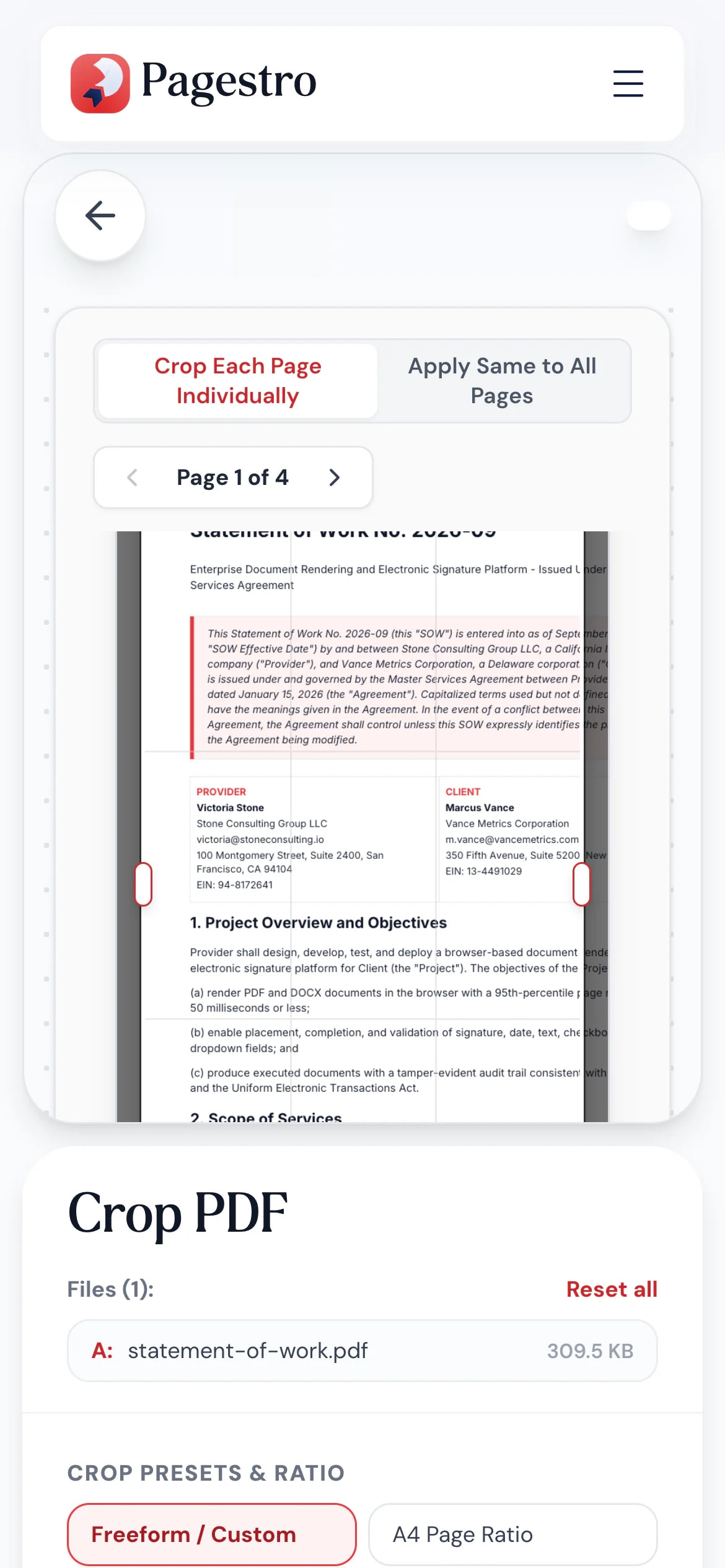
The courier sent a full-page PDF with a small label in the corner. Open it in your phone’s browser, box the label and save just that part.
- No app to install
- Works in Safari, Chrome and Firefox
- The cropped PDF saves to your phone
Who uses it
Trim pages for how they’re used
- Pages cropped
Online sellers
Shipping labels from full pages
Keep only the label so it prints at the right size.
- Pages cropped
Researchers
Papers without wide margins
Bigger text on a tablet or e-reader, with less zooming.
- Pages cropped
Teachers
Worksheets cut to the exercise
Lift one exercise out of a full page for a handout.
- Pages cropped
Presenters
Slides without the notes
Crop exported slide pages down to the slide itself.
How Pagestro compares
 Pagestro Pagestro | Desktop software | Upload-based sites | |
|---|---|---|---|
| File stays on your device | Yes | Yes | No |
| Different crop per page | Yes | Varies | Varies |
| Nothing to install | Yes | No | Yes |
| Works on phones and tablets | Yes | No | Yes |
| Price | Free | Often a paid license | Varies by site |
How do I crop a PDF?
Add the PDF to the tool at the top of this page, drag the crop box over the area you want to keep, choose which pages to crop and download.
Can I crop just one page of a PDF?
Yes. Choose “current page” or type a range such as 2 or 4-6. Other pages stay as they are.
Can I crop each page differently?
Yes. Move to a page and set its box. When one page is right, you can copy its crop to every page.
Will cropping reduce the quality?
No. Pagestro changes the visible area of each page. Text stays selectable and images keep their original quality.
Does cropping delete the content outside the box?
With Lossless Vector (the default), no: the area outside the box is hidden, not removed, so PDF software can still find it. Choose 300 or 150 DPI under Resolution and each cropped page is flattened to an image, which leaves nothing outside the box. To remove private information, use Redact PDF.
What does Auto-Trim do?
It looks at every page, finds where the text and pictures actually are, and sets the crop box just outside them, page by page. With Apply Same to All Pages it uses one box that fits all of them.
How do I crop a shipping label from a PDF?
Open the label PDF, drag the box around the label, choose that page and download. Print the cropped page at actual size.
Is my PDF uploaded?
No. Cropping runs in your browser on your own device. The file is never sent to Pagestro.
Keep working on your PDF
 Rotate PDFRotate pages 90°, 180°, or 270°Open tool
 Organize PDFReorder, add, or remove pages with drag & dropOpen tool
 Split PDFSplit PDF by pages, ranges or extract all pagesOpen tool
 Compress PDFReduce PDF file size while keeping qualityOpen tool
 Page numbersInsert page numbers into your PDFOpen tool
 Crop ImageCrop images with an interactive editorOpen tool


