How to make a PDF smaller so you can email it
Your PDF bounced because it's too big. Here are the attachment limits of the big email providers, what each compression level changes, and what to try when compressing isn't enough.

MD Rakib Shekh · Founder & Lead Architect
· 7 min read
On this page
You attach a PDF, press send, and get a message that the file is too large. Or an upload form rejects your file without saying why. The fix is usually simple: make the PDF smaller without making it hard to read.
This guide covers the limits you're up against, what compression actually changes, and what to do when a file won't shrink enough.
How big can an email attachment be?
Each email provider sets its own limit. These are the numbers the big providers publish for personal accounts, as of October 2026:
| Provider | Limit | What counts toward it |
|---|---|---|
| Gmail | 25 MB | All attachments in one message together |
| Outlook.com | 20 MB | The attachments plus the email itself |
| Yahoo Mail | 25 MB | All attachments in one message, sent or received |
Sources: Gmail Help, Microsoft Support and Yahoo Help.
Work and school accounts can be different. Microsoft says the default for Exchange business accounts is 10 MB, and Google says Workspace administrators set their own limits. When you send to a company address, their limit matters too, not just yours.
Two practical rules follow:
- Aim well below the limit. The email text and any other attachments count as well.
- Plan for the smallest limit. If you don't know what your recipient uses, keeping the attachment under 10 MB covers the business default Microsoft lists.
Why some PDFs are so big
Most large PDFs are big because of pictures, not words. A page of plain text takes up very little space. A full-colour scan of the same page can be many times bigger.
The usual causes:
- scans saved at a high resolution, or in full colour when gray would do
- photos straight from a phone camera, placed on a page much smaller than the photo
- the same logo or font stored again and again after several rounds of editing
- leftover data from older versions of the file
How to compress a PDF with Pagestro
Compress PDF runs in your browser, so the file isn't uploaded anywhere. It's free, works on phones, and handles files up to 100 MB and 300 pages.
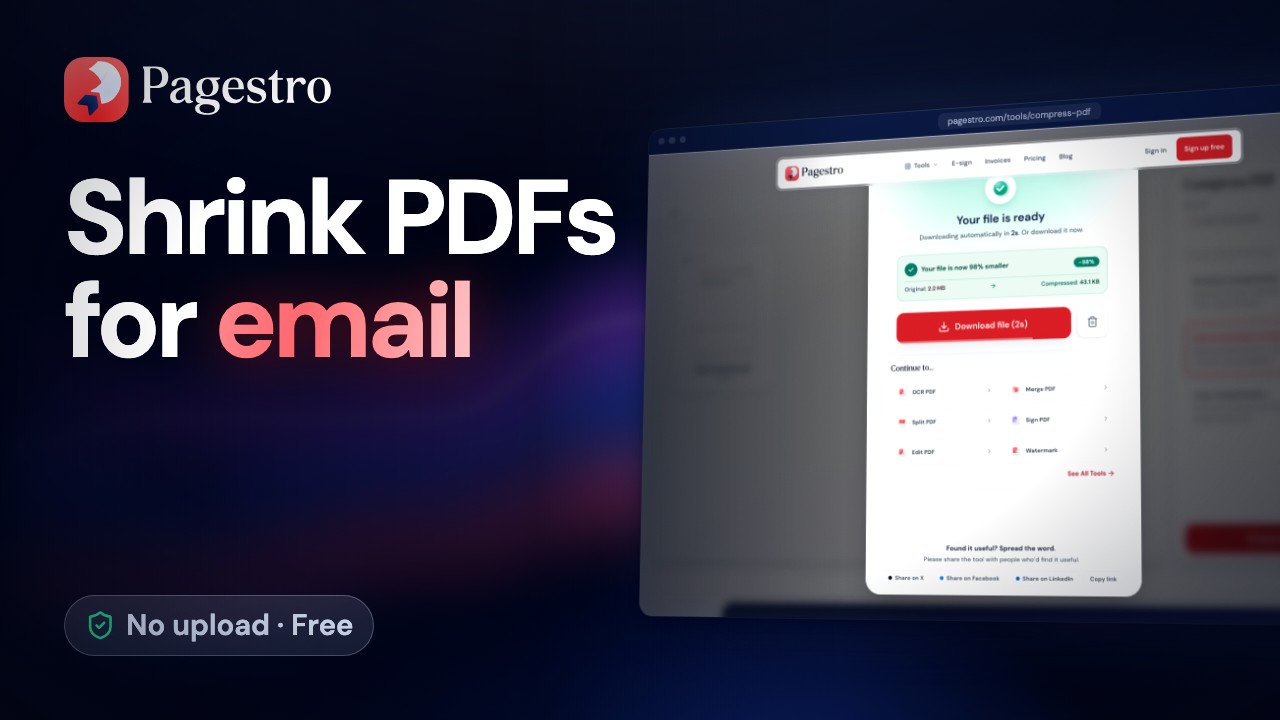
Step 1. Open Compress PDF and drop in the file.
Step 2. Pick a compression level. Start with Recommended.
Step 3. Press Compress PDF. Pagestro shows how much smaller the file got, as a percentage.
Step 4. Download the smaller copy. If it's still too big, run the original again with Extreme.
If a file can't be made any smaller, you get the original back. You never get a bigger copy.
What each compression level changes
Every level keeps your pages as real pages. Text stays text, so you can still search and copy it, and links and form fields keep working. The page size doesn't change either: A4 stays A4 and Letter stays Letter.
| Level | What it does | Best for |
|---|---|---|
| Less compression | Cleans up the file only: removes unused and duplicate data and packs everything tightly. Images are not touched. | Brochures, photo books and anything you'll print |
| Recommended | The same clean-up, plus photos shown at more than 225 dpi are scaled down to 150 dpi | Most documents and scans |
| Extreme | Photos shown at more than 120 dpi are scaled down to 96 dpi, photos are saved as JPEG where that's smaller, and fonts keep only the characters the file uses | Getting under a strict limit |
What's dpi? It means dots per inch: how many image pixels fill one inch of the page. A higher number holds more detail. A photo that's far sharper than the page needs is wasted space, which is why scaling it down saves so much.
In fillable forms, Extreme leaves the fonts whole, so the form can still be filled in normally.
Check the result before you send it
A smaller file is only useful if it still does its job. Before you attach it:
- Look at the size. Pagestro shows how much smaller the file got. Make sure it's now comfortably under the limit you're aiming for.
- Read the smallest text. Zoom to 100% on the page with the finest print, such as a footnote or a scanned stamp.
- Check photos that matter. A product photo or a floor plan should still show the detail people need.
- Try a form field or link. They keep working at every level, but a ten-second check gives you peace of mind.
When a PDF won't get smaller
Sometimes compression barely helps. That's normal for:
- PDFs that are mostly text, which are already compact
- scans that were saved at a low resolution to begin with
- files that have been compressed before
Then try one of these instead:
- Send fewer pages. Does the other person need all 40 pages, or only the signed ones? Pull out what they need with Extract Pages. Our guide to splitting a PDF and extracting pages shows how.
- Split it across two emails. Cut the file into parts with Split PDF and write "part 1 of 2" in the subject line.
- Rescan in gray or black and white. Colour scans are usually bigger. Our guide to scanning documents with your phone covers the clean-up settings.
- Share a link. Upload the file to the cloud storage you already use and send the link. Microsoft suggests this for large files, and Gmail does it for you with a Google Drive link.
Compress near the end
If you're also merging or numbering the file, compress it after those steps. You only do it once, and you check the file you're about to send. If the file needs a signature, compress it first, so the signed copy is the one you send without further changes. When you combine several files, merging first and compressing the result works well; see how to merge PDF files.
A good order: merge, arrange pages, compress, sign, send.
Frequently asked questions
Which compression level should I pick?
Start with Recommended. If the file is still too big, try Extreme. If small text or photos look soft afterwards, go back one level.
Will my PDF still be searchable after compressing?
Yes. Pages aren't turned into pictures, so text stays selectable and searchable at every level, and links and form fields keep working.
Is it safe to compress a confidential PDF?
With Pagestro, compression runs in your browser and the file is never uploaded to Pagestro or anyone else.
What is the attachment limit in Gmail?
Google's help page says the limit for personal Gmail accounts is 25 MB for all attachments in a message. Larger files are added as a Google Drive link.
Can I compress a PDF on my phone?
Yes. Open Compress PDF in Safari or Chrome, pick the file and a level, and download the smaller copy.
- Compress PDF
- File size
Written by
MD Rakib Shekh
Founder & Lead Architect
Founder of Pagestro & UIXport. Specializing in WebAssembly browser tools, PDF processing, and high-performance design workflows.