Marketing
QR code ideas for small businesses, and how to print them
Menus, packaging, signs, guest Wi-Fi and contact cards: practical places for a QR code in a small business, plus how to size, print and test codes so they scan.

MD Rakib Shekh · Founder & Lead Architect
· 8 min read
On this page
A QR code is only worth printing if it saves someone a step. Typing a Wi-Fi password, searching for your menu, saving your number by hand: those are the moments a code helps. Here are ideas that work for small businesses, which kind of code to use for each, and how to print them so they scan the first time.
First, choose static or dynamic
A static code holds its content and can't be changed. A dynamic code points to a link you can edit later, and it shows scan stats. If you're unsure, read static vs dynamic QR codes first. As a rule of thumb, anything printed in bulk or kept for a long time should be dynamic.
Ideas for the counter and the table
Menus and price lists
Put a code on table cards or in the window that opens your menu. Use a dynamic code so you can change prices or swap in the weekend menu without reprinting. In Pagestro, a dynamic website code can point to a menu page on your site. A PDF page, where the code opens a menu file you upload, comes with the Pro plan (see pricing).
Keep a few paper menus too, for people who prefer them or don't have a phone with them.
Guest Wi-Fi
A Wi-Fi code lets guests join your network without typing the password. Phones read the network name and password straight from the code. Android even uses QR codes to share Wi-Fi from its own settings (Android Help).
Use a static Wi-Fi code if the password stays the same. If you change it every month, a dynamic Wi-Fi code lets you update the password while the printed sign stays the same. It works a little differently: it opens a small page with the network name and password, and guests copy the password into their Wi-Fi settings.
Reviews
Make a website code that opens your review page directly. Place it by the till or on the receipt, where people are waiting anyway. A short line like "Enjoyed your visit? Leave us a review" tells people what the code is for.
WhatsApp and text messages
A WhatsApp or SMS code opens a chat with your number and a ready-made message, like "I'd like to book a table for Friday". It works well for bookings and quick questions.
Ideas for packaging and products
Setup guides, care tips and refills
A code on the box can open the setup guide, a how-to video or a reorder page. Packaging stays around for a long time, so use a dynamic code. When the page moves, you update the destination instead of the box.
Products sold in shops
If your products go through retail checkouts, there's a separate set of standards to know about. Read our post on the GS1 2027 sunrise before you redesign your packaging.
Ideas for signs, flyers and events
Directions to your shop
A location code opens a map pin for your address. Put it on flyers, delivery menus and your website's contact page.
Event posters
An event code adds the date, time and place to the guest's calendar. A dynamic event code opens a small page with an "Add to calendar" button, and you can update the details if the venue changes.
Window signs after hours
A website code on the door can open your online shop or booking page while you're closed.
Ideas for you and your team
Business cards and name badges
A contact card code (often called a vCard) saves your name, phone, email and company straight to the phone's contacts. Use a static one if your details are stable. A dynamic contact card opens a mobile page with your details, and you can update your number or title later. Dynamic contact cards come with paid plans.
Link-in-bio pages
A link page puts several links on one page: your shop, booking form and social profiles. In Pagestro, link pages come with the Pro plan.
How to print codes that scan the first time
Size. Bigger is easier. QR Studio shows a minimum print width for your design as you build it. Codes that hold long content need more room, because their squares get smaller. Go well above the minimum for anything people scan from a distance, like posters and windows.
Contrast. Use a dark code on a light background. Pale colors and light-on-dark designs are riskier. QR Studio rates the contrast of your colors and warns you when it's too low.
Quiet zone. Leave empty space around the code. Denso Wave, the company that created the QR code, specifies a margin four modules wide on every side (qrcode.com). A module is one of the small squares. QR Studio's quiet zone starts at 2 modules, so raise it on the Advanced tab or leave the extra space blank in your print layout.
Logos. A logo covers part of the code. QR codes have built-in error correction, and the highest level, H, can recover around 30 percent of the data (qrcode.com). QR Studio switches to level H when you add a logo, and can leave white space around it to make scanning easier.
File type. Send SVG or PDF to your printer, because they stay sharp at any size. PNG is fine for screens and documents.
Surface. Avoid glossy laminate under bright lights, curved bottles where the code wraps out of view, and folds or seams on packaging.
Test before you print hundreds
Step 1. Print one copy at the real size, on the real material if you can.
Step 2. Scan it with at least two phones, ideally an iPhone and an Android phone. On iPhone, the built-in Camera app reads QR codes (Apple Support).
Step 3. Scan from where customers will stand, in the light they'll have.
Step 4. Turn off Wi-Fi and check that the page loads on mobile data.
Step 5. Look at the page on a small screen. A code that opens a page made for desktops is a poor experience on a phone.
Keep your codes safe
Scammers sometimes stick their own QR codes over real ones, for example on parking meters, to send people to fake sites (FTC consumer alert). Check your public codes now and then, put them where they're hard to cover, and keep that printed web address next to them.
Make these codes in Pagestro
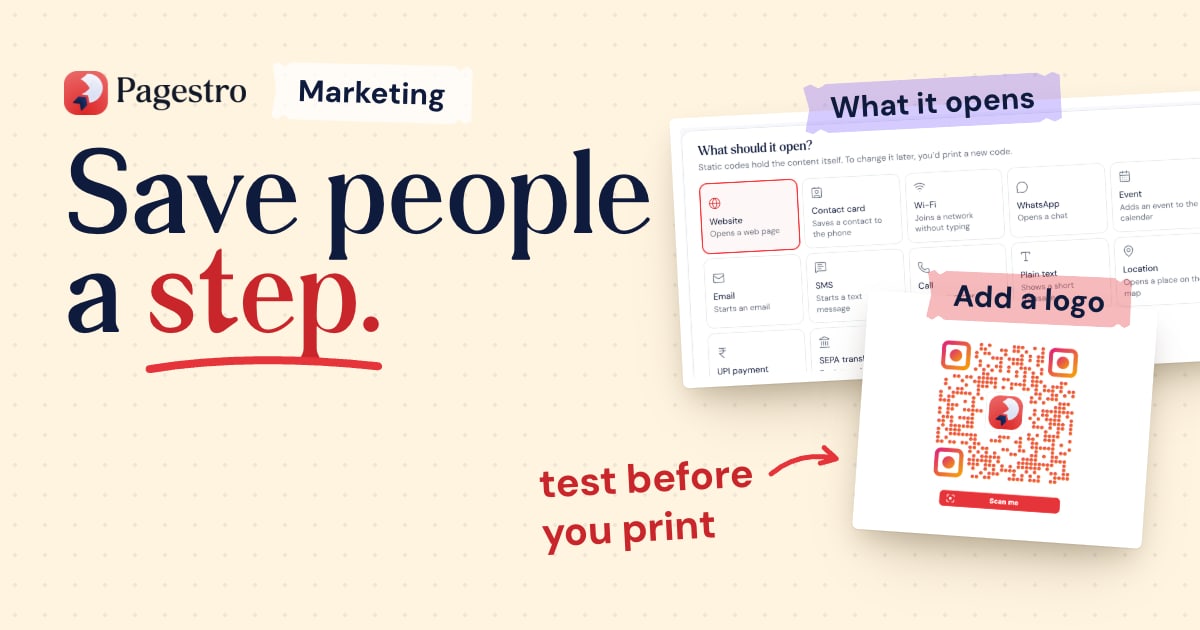
Open QR Studio and pick the type: website, Wi-Fi, contact card, event, location, WhatsApp, SMS and more. Add your colors, logo and a "Scan me" frame, then download SVG, PNG or PDF. Static codes are free with no account.
For codes you can edit after printing, with scan stats, save the code as dynamic on a free account. More dynamic types and design options come with paid plans. Need a short link to print beside the code? The link shortener makes one in the same account.
Frequently asked questions
What's the best QR code for a restaurant menu?
A dynamic code that opens a menu page made for phones. You can change prices and dishes without reprinting the table cards.
How big should a printed QR code be?
It depends on how much the code holds and how far away people stand. QR Studio shows a minimum width for each design. Print a test copy and scan it from the real distance before you print in bulk.
Can I put my logo in a QR code?
Yes. In Pagestro, logos are free on static codes, and codes with a logo use the highest error correction level so they still scan. Logos on dynamic codes come with paid plans.
Do customers need an app to scan a QR code?
Not on iPhone, where the built-in Camera app reads QR codes. Android phones vary by maker, which is one more reason to test with more than one phone. Printing your web address under the code covers everyone else.
Are QR codes safe for customers?
Codes you print and check yourself are. Look over your public codes now and then for stickers placed on top, and print your web address beside each code.
- QR codes
- Small business
- Marketing
- Printing
Written by
MD Rakib Shekh
Founder & Lead Architect
Founder of Pagestro & UIXport. Specializing in WebAssembly browser tools, PDF processing, and high-performance design workflows.