
How to shorten links and see where your clicks come from
Make a short link, add campaign tags, and read click stats without tracking individual people. Plus when a branded short link is worth it.

MD Rakib Shekh · Founder & Lead Architect
· 7 min read
On this page
Long links look messy in a post, break across lines in an email and are impossible to type from a flyer. Once you share one, you usually have no idea whether anyone used it. A short link fixes both problems: it's easy to share, and it counts the clicks.
What a short link does
A short link is a small address that forwards people to a longer one. When someone clicks it, the shortener records the click and sends them on to the real page.
Because every click passes through the shortener, you get two extras:
- Click stats: how many clicks, on which days, and from which countries and devices.
- An editable destination: you can change where the link goes after you've shared it, without changing the link itself.
How to shorten a link with Pagestro
Step 1. Open the link shortener and paste your long link.
Step 2. If you like, open Custom name, title and campaign tags. Give the link a title only you can see, such as "Instagram bio", and add campaign tags (more on those below).
Step 3. Press Shorten. If you're not signed in, create a free account. Your link is kept in the browser while you sign up, then created straight away.
Step 4. Copy the short link, share it to WhatsApp or email with one tap, or download it as a QR code.
Step 5. Open My links whenever you want to see the clicks.
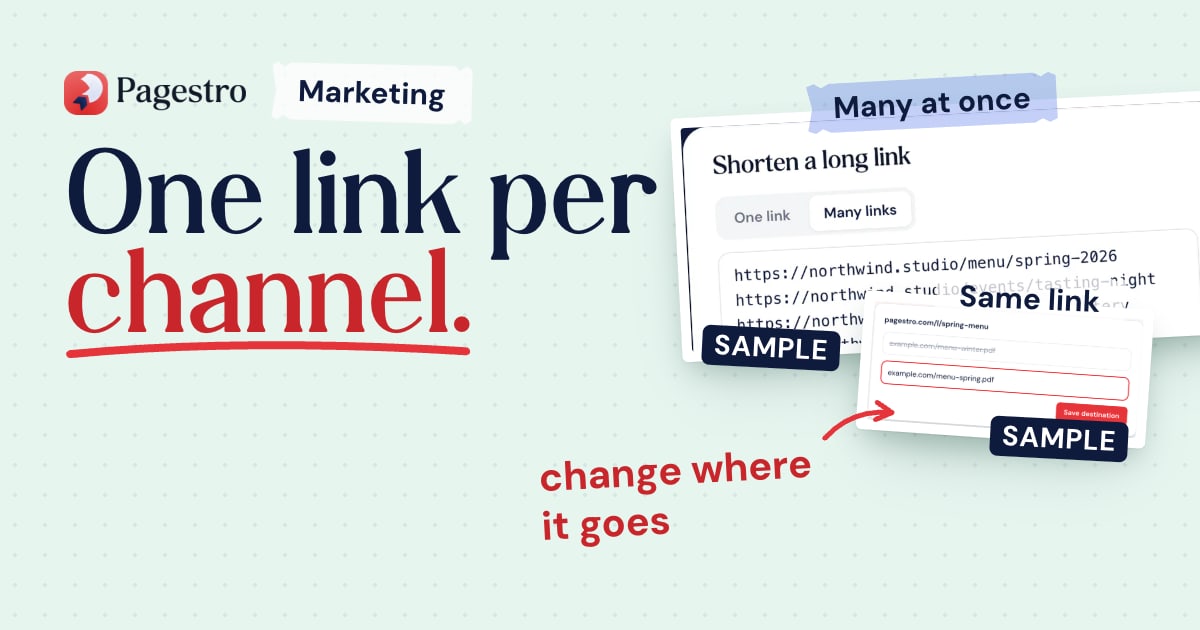
To shorten a batch, switch to Many links and paste one link per line. They all get the same campaign tags.
Add campaign tags so your analytics know the source
Click stats tell you how many people clicked the short link. Campaign tags tell your website analytics where those visitors came from once they arrive, and what they did next.
Campaign tags, also called UTM parameters, are extra bits added to the end of a web address. Google Analytics reads them and shows the source in its reports. Google recommends always using these three (Google Analytics Help):
| Tag | What it describes | Example |
|---|---|---|
| utm_source | Where the click came from | |
| utm_medium | The kind of channel | social |
| utm_campaign | The promotion or project | summer-sale |
A tagged address looks like this: https://example.com/sale?utm_source=instagram&utm_medium=social&utm_campaign=summer-sale. It's long and ugly, which is exactly why you shorten it. In Pagestro you type the three values into their own boxes, and the tags are added to the destination for you.
A few habits keep your reports clean:
- Be consistent. Tag values are case sensitive, so "Instagram" and "instagram" show up as two different sources (Google Analytics Help). Pick lowercase and stick to it.
- Write your names down. A simple shared sheet of sources and mediums stops "fb", "facebook" and "Facebook" from splitting your data three ways.
- Never put personal data in tags. Google's policies forbid sending personally identifiable information, such as email addresses, to Analytics (Google Analytics Help).
- Use one link per place. Make separate short links for your bio, your newsletter and your flyer, so you can compare them.
How to read click stats
In Pagestro, every short link shows clicks by day, plus top countries, devices, browsers and operating systems. A few things to keep in mind when you read them:
- Bots and link previews aren't counted. Chat apps and social sites often fetch a link to build a preview card. Pagestro filters those out, so the numbers stay closer to real people.
- You see patterns, not people. Unique visitors are counted with a code that changes every day, and IP addresses aren't stored. You can't see who clicked, and that's on purpose.
- A click isn't a visit. Someone can click and close the tab before the page loads. Your website analytics, with campaign tags, show what people did after they arrived.
- Compare like with like. A newsletter link and a poster link reach different numbers of people. Watch how each one changes over time rather than comparing raw totals.
On the Pro plan you can also export the data to CSV (see pricing).
Branded vs generic short links
Short links come in three styles, and each has its place.
Generic short links use the shortener's domain and a random code. They're quick to make, but people can't tell where the link goes from reading it.
Custom names keep the shortener's domain but let you choose the ending, like pagestro.com/l/spring-sale. They're easier to read, type and remember, which matters on print and in podcasts. In Pagestro, custom names come with paid plans, starting with Starter.
Branded domains use a short domain you own, like go.example.com/sale. People see your name in the link. Pagestro doesn't offer custom domains today, so if your own domain matters most, choose a shortener built around branded domains.
Whichever style you use, tell people what the link opens. "Menu: pagestro.com/l/menu" is more inviting than a bare link.
When to change a link's destination
Changing the destination is useful when a page moves, a sale ends or you printed the wrong address. In Pagestro, open the link in My links and enter a new destination. Every click from then on lands on the new page.
Be fair to the people clicking, though. If you shared a link as "free sizing guide", don't later point it at something unrelated. A link people trust is worth more than one extra click.
Short links and trust
Short links hide the destination, so careful people think twice before clicking one. A few habits help people trust yours:
- Use a readable custom name where you can.
- Say what the link opens in the text around it.
- Share links from your official profiles, website and emails.
- Keep each link pointed at what you promised.
Short links on paper
Every Pagestro short link can be downloaded as a QR code, which is handy for flyers and packaging. For codes with your logo and colors, use QR Studio in the same account. Our QR code ideas for small businesses shows where printed codes work best. If your links go out in a newsletter, our guide to building an HTML email that works everywhere covers the rest of the email.
Frequently asked questions
Do Pagestro short links expire?
No. They keep working while your account is active. If you go over your plan's monthly clicks, links pause until the next month starts.
Can I change where a short link goes?
Yes. Open the link in My links and enter a new destination. Anyone who clicks from then on lands on the new page.
Do I need UTM tags if I already have click stats?
They answer different questions. Click stats count clicks on the short link. UTM tags tell your website analytics where visitors came from and what they did next. Using both gives you the full picture.
Can I see who clicked my link?
No. You see clicks by day, country, device and browser, but not individual people. IP addresses aren't stored.
Is the link shortener free?
Yes, with a free account and a monthly click allowance. Paid plans add more links, more clicks and custom names. See pricing for details.
- Links
- Analytics
- UTM tags
- Marketing
Written by
MD Rakib Shekh
Founder & Lead Architect
Founder of Pagestro & UIXport. Specializing in WebAssembly browser tools, PDF processing, and high-performance design workflows.