The short answer
On our own test pages, the default reading mode (“Best accuracy”) read 98.5–100% of characters correctly, found every labelled field (such as invoice number, date and total) on the invoices and the receipt, and put 98.8–100% of table cells in the right row and column. That held on clean pages and on pages we made to look scanned.
Please read those numbers for what they are: 10 pages we made ourselves, with typed text. They are not a public benchmark and not our customers’ documents. Phone photos, faded or crumpled receipts, unusual fonts and real handwriting will do worse. Always check the result before you rely on it.
We haven’t compared Pagestro with other OCR services, so we don’t claim to be more accurate than anyone.
What we tested
- 4 invoices made with our own invoice designs, with logos, boxes, payment QR codes, signatures and a stamp.
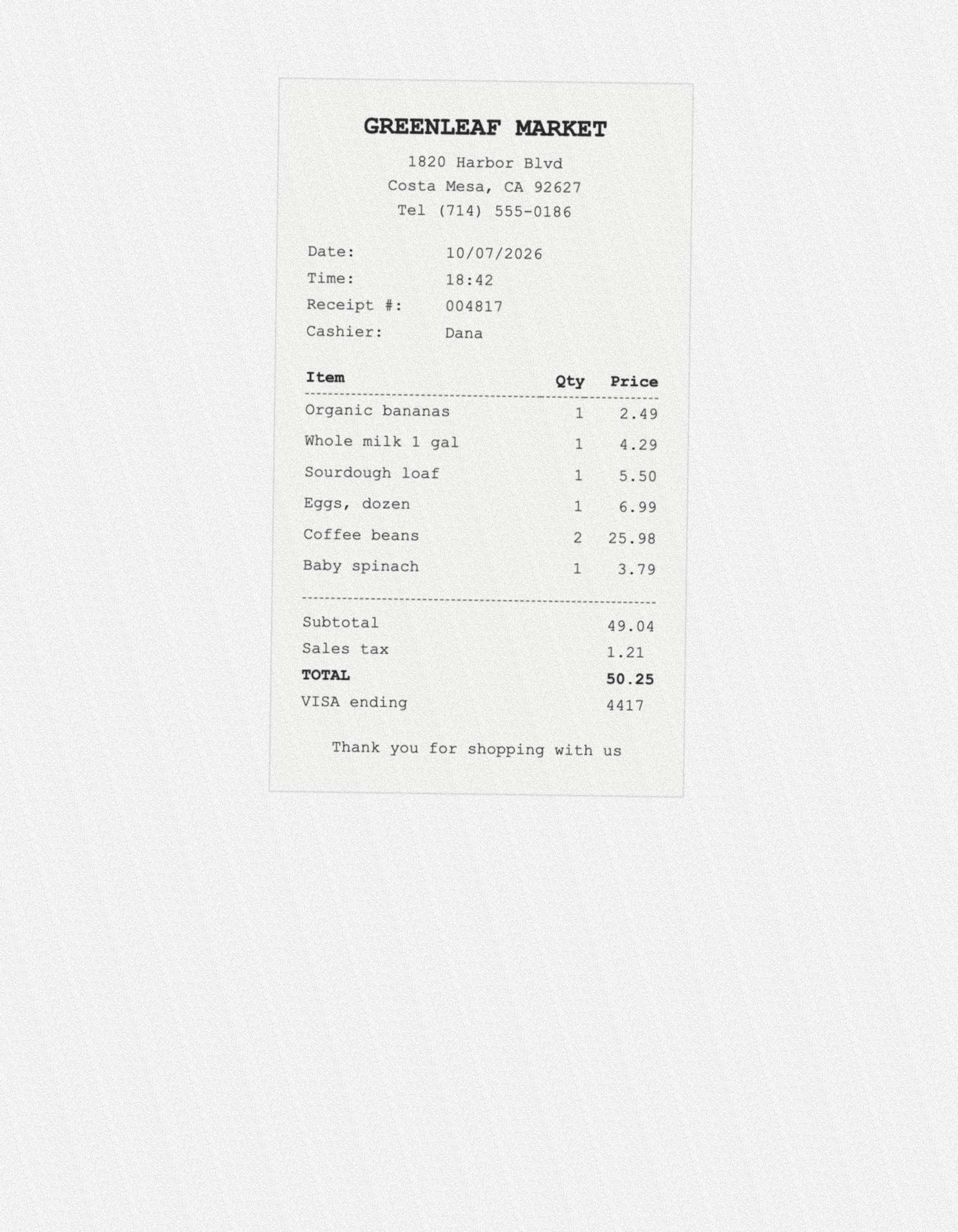
- 1 till receipt in a typewriter-style font, laid on a scanner bed with white space around it.
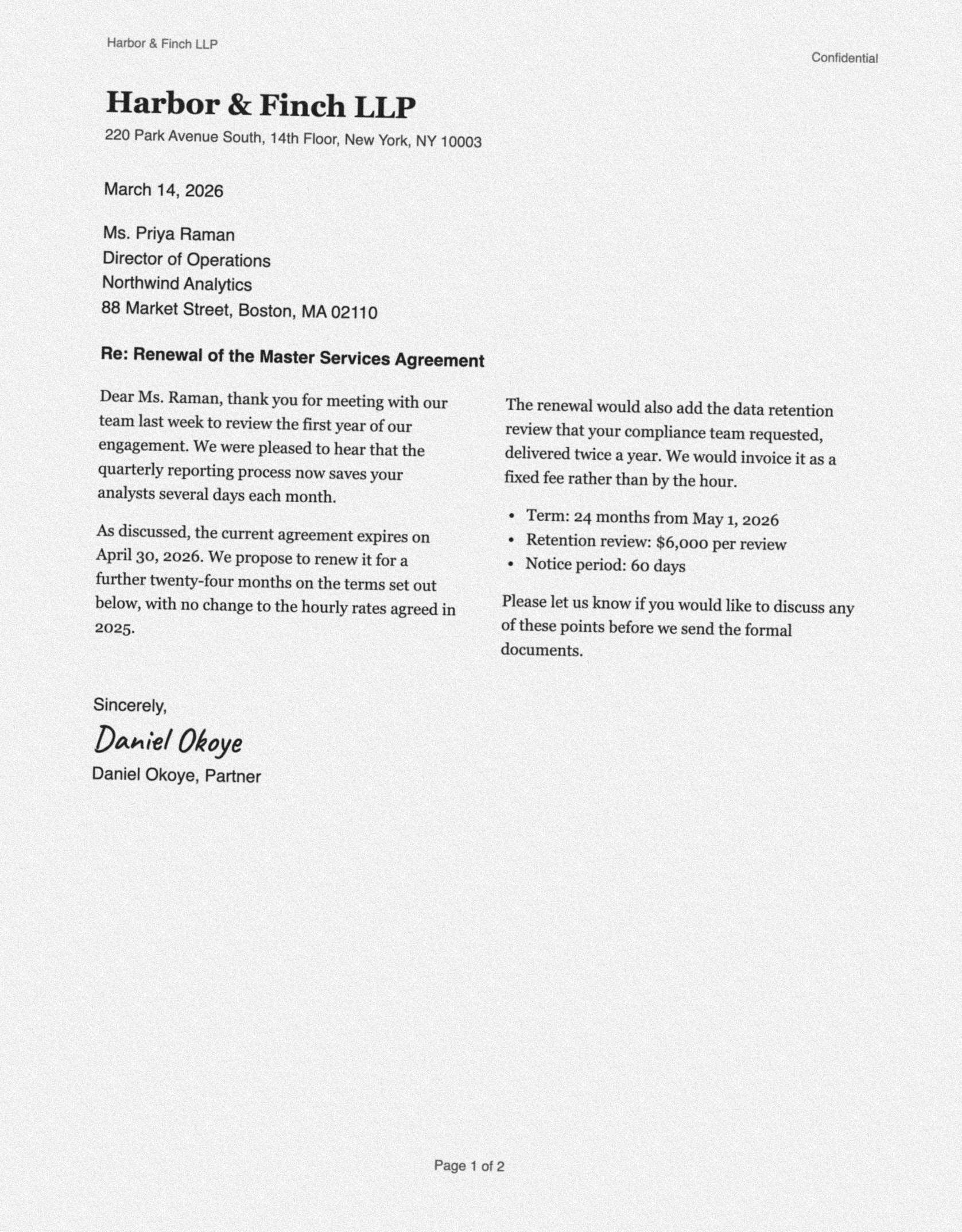
- 4 other pages: a two-column business letter, a patient form with tick boxes, two tables (one with merged headings, one without lines) and a page of maths formulas.
- 1 page of notes in handwriting-style fonts. Fonts are far neater than real handwriting, so we don’t count it as a handwriting result (see the limits below).
Each page was tested twice: as a clean image (about 240 dpi) and as a “scanned” copy made from it: turned by 0.5–1.9 degrees, slightly blurred, on grey paper with speckle noise, saved as a low-quality JPG at about 190 dpi. One invoice was also tested as a PDF with real text, which Pagestro reads directly without OCR.
You can try two of the scanned test pages yourself: the receipt and the letter. All names, addresses and numbers on them are made up.
How we score
Because we made the pages, we know exactly where every word, field and table cell is. A script runs the same OCR that runs in your browser on each page, in Chrome on a Mac, and compares the result with that answer key.
- Characters right: 100% minus the character error rate, counted line by line. Maths symbols in formulas aren’t counted.
- Reading order: how often two lines that follow each other on the page also follow each other in the result, so columns don’t get mixed.
- Labelled fields: how many label-and-value pairs (like “Total” and “50.25”) were found as a pair, with both parts read correctly.
- Table cells: how many table cells ended up in the right row and column.
Results
| Pages | Copy | Characters right | Reading order | Labelled fields | Table cells |
|---|---|---|---|---|---|
| Invoices4 of our invoice designs | Clean | 98.9% | 97.9% | 100% | 100% |
| Invoices4 of our invoice designs | Scanned | 98.5% | 97.9% | 100% | 98.8% |
| Till receipt1 shop receipt | Clean | 100% | 100% | 100% | 100% |
| Till receipt1 shop receipt | Scanned | 99.7% | 100% | 100% | 100% |
| Other pagesletter, form, tables, formulas | Clean | 99.4% | 98.7% | 88.9% | 100% |
| Other pagesletter, form, tables, formulas | Scanned | 99.4% | 98.7% | 66.7% | 100% |
Each page took 1.0–2.5 seconds on the Mac we tested on, after the first scan of the session, which waits while your browser gets text recognition ready. We haven’t measured phones yet: expect them to be slower, especially the first time.
Where it falls short
- Tick boxes on scans. On the scanned form, only 3 of 8 tick boxes came out with the right state (7 of 8 on the clean copy). Check ticked boxes by eye.
- Form labels on scans. On the scanned form, 6 of 9 label-and-value pairs were found (8 of 9 on the clean copy).
- Handwriting. Pagestro marks handwriting and reads it as best it can, but neat cursive notes will need correcting. The recogniser’s makers report about 61% of English handwritten lines read fully correctly.
- Formulas are kept as plain text, not turned into editable maths.
- Block types (heading, text, table, signature…) were right for 81–92% of blocks, so the Word file’s styling may need a touch-up.
What we haven’t measured yet
- Real scans and phone photos from outside Pagestro. Next, we plan to test 20 public-domain scans and publish the numbers, whatever they are.
- Faded, creased or curled receipts, and photos taken at an angle.
- Languages other than English.
- Speed and memory on phones.
The OCR reads your file inside your browser, so your document is never uploaded, including when you use it to test. Our Security page names the open-source text recognizers we use.